Review Analysis With Python: A Beginner's Tutorial (With Code)
A hands-on beginner tutorial for analyzing customer reviews with Python. Covers environment setup, loading review data, sentiment analysis with TextBlob, theme extraction with spaCy, visualization with matplotlib, and practical guidance on when to graduate to a dedicated tool like Sentimyne.
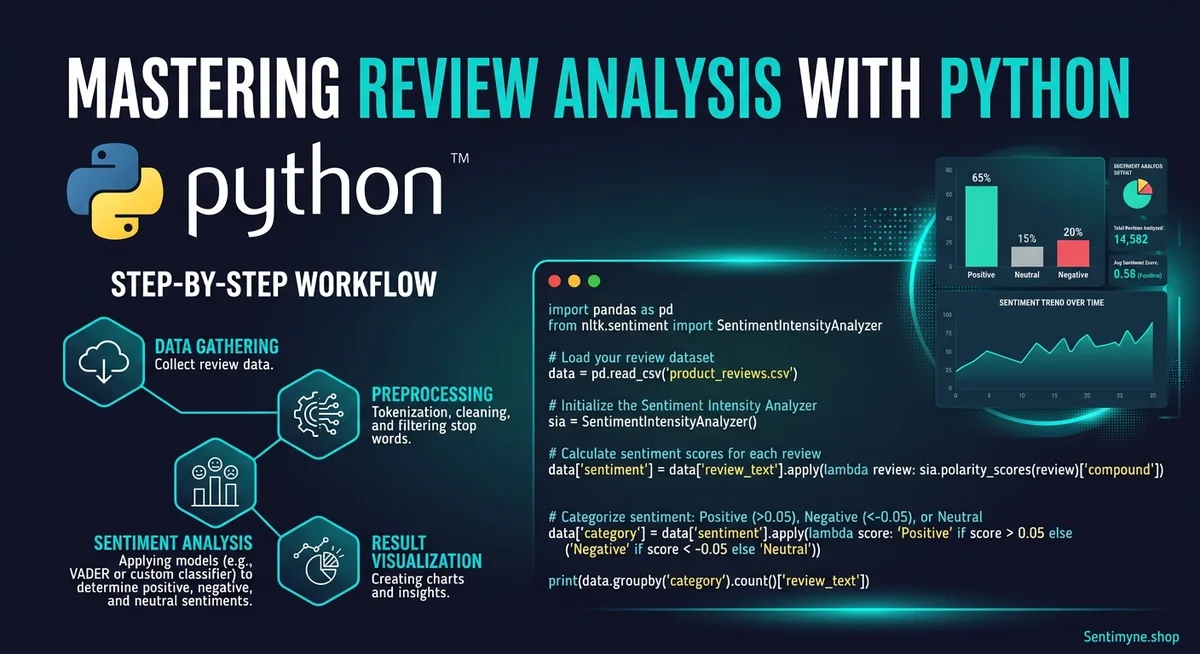
If you have ever wanted to understand what hundreds or thousands of customer reviews are really saying, Python is the most accessible starting point. You do not need a computer science degree. You do not need experience with machine learning. You need Python installed, a few open-source libraries, and about two hours of focused time.
This tutorial walks through a complete review analysis pipeline: loading review data, running sentiment analysis, extracting common themes, and building visualizations. The code is written for clarity over cleverness — every step is explained, every function has a purpose, and you will understand not just what the code does but why it does it.
By the end, you will have a working script that takes a CSV of customer reviews and produces sentiment scores, theme frequencies, and charts you can share with your team.
What You Will Build
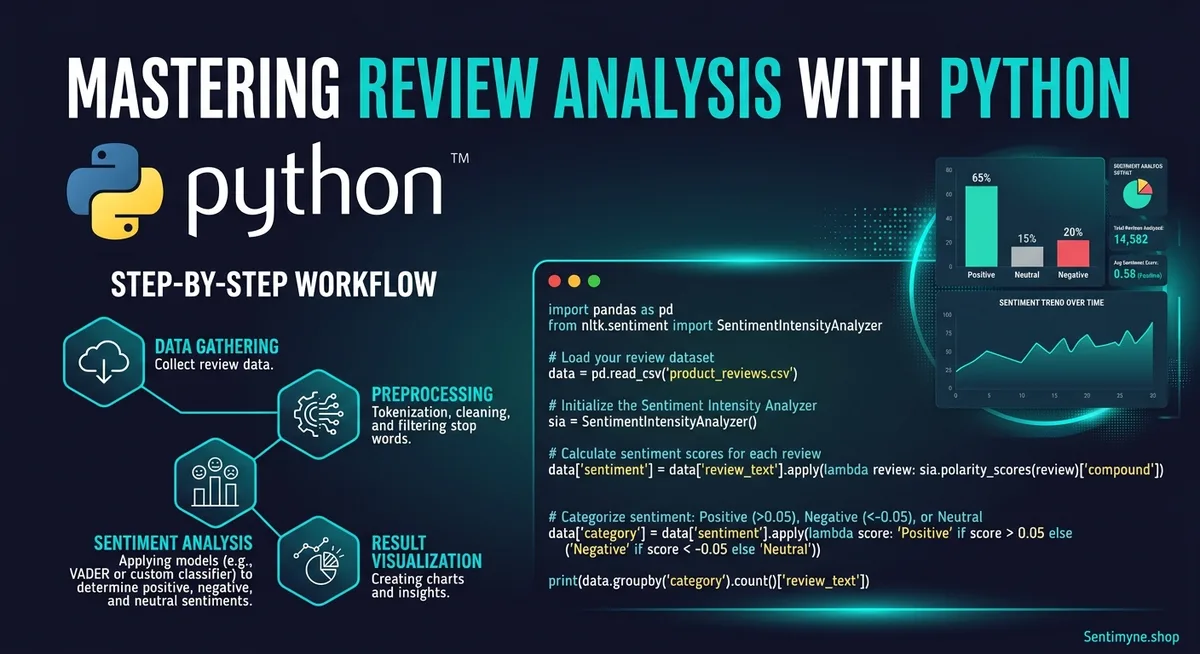
Here is the end-to-end pipeline:
- Load review data from a CSV file
- Clean the text (remove noise, normalize formatting)
- Analyze sentiment for each review using TextBlob
- Extract themes and keywords using spaCy
- Visualize the results with matplotlib
- Export structured results to a new CSV
The complete script is roughly 120 lines of Python. Each section below explains a component, shows the code, and discusses what to watch for.
Step 1: Environment Setup
You need Python 3.8 or later installed on your machine. Open your terminal and install the required libraries.
pip install textblob spacy pandas matplotlib wordcloud python -m textblob.download_corpora python -m spacy download en_core_web_sm
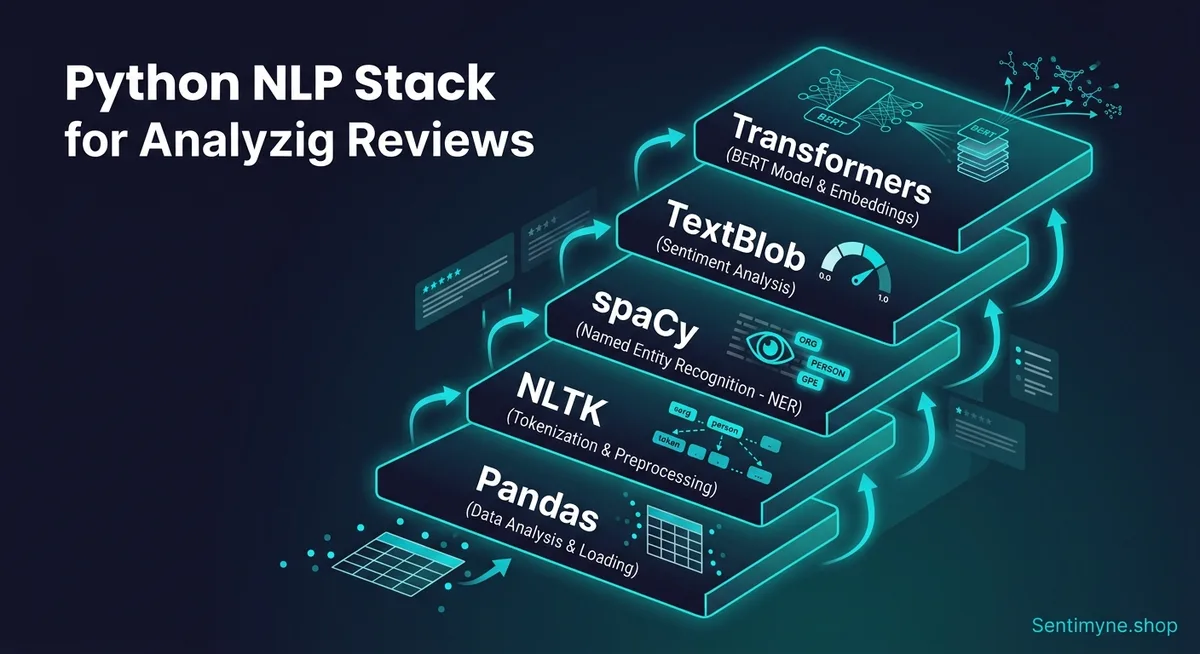
Here is what each library does:
| Library | Purpose | Why This One |
|---|---|---|
| pandas | Data loading and manipulation | Industry standard for tabular data |
| TextBlob | Sentiment analysis | Simple API, good accuracy for English text |
| spaCy | NLP processing (tokenization, POS tagging, NER) | Fast, production-ready, great for text processing |
| matplotlib | Charts and visualizations | Flexible, widely documented |
| wordcloud | Word cloud generation | Quick visual of dominant themes |
Preparing Your Data
Your review data should be in a CSV file with at minimum two columns: one for the review text and one for the star rating. A typical structure:
review_id, date, platform, rating, review_text 1, 2026-01-15, Google, 5, "Absolutely love this product. The battery lasts all day and the screen is gorgeous." 2, 2026-01-16, Amazon, 2, "Arrived damaged. Customer service was unhelpful and took a week to respond." 3, 2026-01-16, Trustpilot, 4, "Great value for the price. Shipping was slow but the product itself is excellent."
If you do not have your reviews in a CSV yet, export them from your review platform or copy them from our Google Sheets review dashboard template and save as CSV.
Step 2: Loading and Cleaning the Data
The first code block loads your CSV and prepares the text for analysis.
import pandas as pd import re > def load_reviews(filepath): df = pd.read_csv(filepath) df['clean_text'] = df['review_text'].apply(clean_text) return df > def clean_text(text): if pd.isna(text): return "" text = str(text).lower() text = re.sub(r'httpS+', '', text) # Remove URLs text = re.sub(r'<.*?>', '', text) # Remove HTML tags text = re.sub(r'[^a-zs]', ' ', text) # Keep only letters and spaces text = re.sub(r's+', ' ', text).strip() # Normalize whitespace return text
What the cleaning function does: Converts to lowercase for consistent analysis. Removes URLs (some reviews contain links). Strips HTML tags (common in scraped data). Removes punctuation and special characters. Normalizes whitespace.
Why this matters: Raw review text contains noise that confuses NLP models. "AMAZING!!!" and "amazing" should be treated as the same word. HTML artifacts from web scraping should not appear as features.
"Text cleaning is the least glamorous part of NLP and the step most beginners skip. Every hour spent on cleaning saves three hours debugging confusing results downstream."
Step 3: Sentiment Analysis With TextBlob
TextBlob provides a simple sentiment API that returns two values: polarity (ranging from -1.0 for very negative to 1.0 for very positive) and subjectivity (ranging from 0.0 for objective to 1.0 for subjective).
from textblob import TextBlob > def analyze_sentiment(text): blob = TextBlob(text) polarity = blob.sentiment.polarity subjectivity = blob.sentiment.subjectivity > if polarity > 0.1: label = "Positive" elif polarity < -0.1: label = "Negative" else: label = "Neutral" > return polarity, subjectivity, label > # Apply to dataframe df['polarity'], df['subjectivity'], df['sentiment'] = zip( *df['clean_text'].apply(analyze_sentiment) )
Key decisions in this code:
The threshold of 0.1 and -0.1 for classifying sentiment is a practical default. Reviews with polarity between -0.1 and 0.1 are genuinely ambiguous — forcing them into positive or negative introduces noise. Adjust these thresholds based on your domain.
Understanding TextBlob's Accuracy
TextBlob uses a pattern-based approach with a pre-built lexicon. It works well for straightforward opinions ("love this product" scores highly positive, "terrible experience" scores highly negative) but struggles with:
- Sarcasm: "Oh great, another broken update" registers as positive because of "great"
- Negation: "Not bad at all" should be positive but sometimes scores near zero
- Domain-specific language: Industry jargon may not appear in the default lexicon
For most review analysis tasks, TextBlob achieves 70-75% accuracy. This is good enough for broad trend identification but not precise enough for individual review classification. Our NLP review analysis explained guide covers more advanced approaches.
Validating Sentiment Against Star Ratings
A useful validation step: compare TextBlob's sentiment labels to the actual star ratings.
# Cross-tabulate sentiment labels with star ratings validation = pd.crosstab(df['rating'], df['sentiment'], normalize='index') print(validation)
In a well-performing model, 5-star reviews should be predominantly labeled "Positive," 1-star reviews should be predominantly "Negative," and 3-star reviews should show a mix. If 5-star reviews are being labeled "Negative" frequently, your cleaning step may be stripping important signal words or your threshold needs adjustment.
Step 4: Theme Extraction With spaCy
Sentiment tells you how customers feel. Theme extraction tells you what they are talking about. This is where the analysis becomes actionable.
import spacy from collections import Counter > nlp = spacy.load("en_core_web_sm") > def extract_themes(texts, top_n=20): noun_phrases = [] for text in texts: doc = nlp(text) for chunk in doc.noun_chunks: # Filter short chunks and stopword-only chunks clean_chunk = chunk.text.strip() if len(clean_chunk.split()) >= 2 or len(clean_chunk) > 4: noun_phrases.append(clean_chunk) return Counter(noun_phrases).most_common(top_n) > # Extract themes from all reviews all_themes = extract_themes(df['clean_text']) > # Extract themes from negative reviews only negative_themes = extract_themes( df[df['sentiment'] == 'Negative']['clean_text'] ) > # Extract themes from positive reviews only positive_themes = extract_themes( df[df['sentiment'] == 'Positive']['clean_text'] )
How it works: spaCy's noun chunk extraction identifies meaningful noun phrases — "battery life," "customer service," "screen quality," "shipping speed." The Counter tallies how often each phrase appears. Filtering for multi-word phrases or longer single words removes generic terms like "it," "thing," and "one."
Why this matters: Comparing the top themes from negative reviews versus positive reviews reveals your specific strengths and weaknesses. If "battery life" appears in both positive and negative themes, you know it is a polarizing aspect worth investigating further. For more on aspect-level analysis, see our aspect-based sentiment analysis guide.
Building a Theme Taxonomy
The raw noun phrases from spaCy are noisy — "customer service," "their customer service," "the service team," and "support team" all refer to the same concept. Group them manually into categories:
See What Your Reviews Really Say
Paste any product URL and get an AI-powered SWOT analysis in under 60 seconds.
Try It Free →theme_mapping = { "customer service": ["customer service", "support team", "service team", "their support", "help desk"], "shipping": ["shipping speed", "delivery time", "shipping cost", "delivery", "arrived late"], "product quality": ["build quality", "material quality", "feels cheap", "well made", "durable"], "price": ["the price", "too expensive", "good value", "worth the money", "overpriced"], "battery": ["battery life", "battery drain", "charge time", "lasts all day"], } > def categorize_theme(phrase, mapping): for category, phrases in mapping.items(): if any(p in phrase for p in phrases): return category return "other"
This manual mapping step is where domain knowledge becomes essential. You know your product and industry — you know which noun phrases map to which meaningful categories. Automated tools like Sentimyne handle this categorization using trained NLP models, but building the mapping yourself teaches you what themes matter for your specific business.
Step 5: Visualization With Matplotlib
Numbers in a spreadsheet are useful. Charts are persuasive. Here are three visualizations that communicate review insights effectively.
Visualization 1: Sentiment Distribution
import matplotlib.pyplot as plt > sentiment_counts = df['sentiment'].value_counts() colors = {'Positive': '#2ecc71', 'Neutral': '#f39c12', 'Negative': '#e74c3c'} > fig, ax = plt.subplots(figsize=(8, 5)) bars = ax.bar(sentiment_counts.index, sentiment_counts.values, color=[colors[s] for s in sentiment_counts.index]) ax.set_title('Review Sentiment Distribution', fontsize=14, fontweight='bold') ax.set_ylabel('Number of Reviews') > for bar, count in zip(bars, sentiment_counts.values): ax.text(bar.get_x() + bar.get_width()/2, bar.get_height() + 2, str(count), ha='center', fontweight='bold') > plt.tight_layout() plt.savefig('sentiment_distribution.png', dpi=150)
Visualization 2: Sentiment Over Time
df['date'] = pd.to_datetime(df['date']) monthly = df.set_index('date').resample('M')['polarity'].mean() > fig, ax = plt.subplots(figsize=(10, 5)) ax.plot(monthly.index, monthly.values, marker='o', linewidth=2, color='#3498db') ax.axhline(y=0, color='gray', linestyle='--', alpha=0.5) ax.set_title('Average Sentiment Polarity Over Time', fontsize=14, fontweight='bold') ax.set_ylabel('Average Polarity (-1 to +1)') ax.set_xlabel('Month') > plt.tight_layout() plt.savefig('sentiment_over_time.png', dpi=150)
Visualization 3: Theme Frequency Chart
themes, counts = zip(*all_themes[:10]) > fig, ax = plt.subplots(figsize=(10, 6)) ax.barh(list(reversed(themes)), list(reversed(counts)), color='#9b59b6') ax.set_title('Top 10 Review Themes', fontsize=14, fontweight='bold') ax.set_xlabel('Frequency') > plt.tight_layout() plt.savefig('theme_frequency.png', dpi=150)
These three charts — sentiment distribution, sentiment trend, and theme frequency — form a basic but effective review analysis dashboard. For more on building a complete dashboard approach, see our review monitoring dashboard guide.
Step 6: Putting It All Together
Here is the complete script that ties all steps together:
import pandas as pd import re from textblob import TextBlob import spacy from collections import Counter import matplotlib.pyplot as plt > nlp = spacy.load("en_core_web_sm") > def clean_text(text): if pd.isna(text): return "" text = str(text).lower() text = re.sub(r'httpS+', '', text) text = re.sub(r'<.*?>', '', text) text = re.sub(r'[^a-zs]', ' ', text) text = re.sub(r's+', ' ', text).strip() return text > def analyze_sentiment(text): blob = TextBlob(text) p = blob.sentiment.polarity label = "Positive" if p > 0.1 else ("Negative" if p < -0.1 else "Neutral") return p, blob.sentiment.subjectivity, label > def main(input_file, output_file): df = pd.read_csv(input_file) df['clean_text'] = df['review_text'].apply(clean_text) df['polarity'], df['subjectivity'], df['sentiment'] = zip( *df['clean_text'].apply(analyze_sentiment) ) > print(f"Total reviews: {len(df)}") print(f"Sentiment breakdown:") print(df['sentiment'].value_counts()) print(f"Average polarity: {df['polarity'].mean():.3f}") > df.to_csv(output_file, index=False) print(f"Results saved to {output_file}") > main("reviews.csv", "analyzed_reviews.csv")
Run this with your review CSV and you get an analyzed output file with sentiment scores for every review, plus console output summarizing the distribution.
Limitations of the DIY Approach
This tutorial gives you a functional review analysis pipeline. But honesty requires acknowledging what it does not do:
Accuracy ceiling. TextBlob's pattern-based sentiment achieves roughly 70-75% accuracy. Production-grade tools using fine-tuned transformers achieve 85-93%. For trend identification, the DIY approach works. For individual review classification or strategic decisions, the accuracy gap matters.
No aspect-level sentiment. This pipeline tells you overall sentiment and top themes separately. It does not tell you the sentiment toward each specific theme — you know customers mention "battery life" and you know 30% of reviews are negative, but you do not know if the negative reviews are about battery life specifically. Aspect-based sentiment analysis requires significantly more complex code.
Manual theme mapping. The theme taxonomy requires manual definition and ongoing maintenance. As your product evolves and customers raise new topics, you need to update the mapping dictionary by hand.
No multi-platform aggregation. This script processes one CSV at a time. If your reviews are spread across Google, Amazon, Yelp, and Trustpilot, you need to export and combine them manually before running the analysis.
No visualization dashboard. The matplotlib charts are static images. Building an interactive dashboard requires additional frameworks (Plotly, Dash, or Streamlit) and significantly more code.
When to Graduate to a Dedicated Tool
The Python DIY approach is excellent for:
- Learning how review analysis works under the hood
- One-time analyses or research projects
- Teams with Python skills who enjoy building custom tools
- Businesses with fewer than 200 reviews to analyze
Consider graduating to a dedicated tool when:
- You need ongoing automated monitoring rather than one-time analysis
- Accuracy matters for product decisions or executive reporting
- You need aspect-level sentiment to know how customers feel about specific features
- You analyze reviews across multiple platforms and the manual export process is unsustainable
- Non-technical team members need access to review insights
Sentimyne handles the entire pipeline — collection, analysis, theme extraction, SWOT generation, and visualization — in under 60 seconds per analysis. The free tier gives you 2 analyses per month to compare against your Python output. The Pro plan at $29/month supports ongoing monitoring for growing businesses, and the Team plan at $49/month adds collaborative features for product, marketing, and leadership teams.
The Python skills you built in this tutorial make you a better consumer of automated tools. You understand what is happening under the hood, you can evaluate the output critically, and you know when the tool is giving you something your script could not.
For more advanced NLP techniques including transformer-based models and custom training, see our NLP review analysis explained guide. For the business context on when and why to invest in review analysis, our review analysis ROI calculator quantifies the return.
Frequently Asked Questions
Do I need prior Python experience to follow this tutorial?
Basic Python familiarity is helpful but not strictly required. If you can install packages with pip, run a Python script from the command line, and understand variables, functions, and loops at a conceptual level, you can follow this tutorial. The code uses straightforward patterns — no advanced Python features, no complex class hierarchies, no asynchronous programming. If you are completely new to Python, spend 2-3 hours on a basic Python tutorial first, then return to this guide.
How many reviews can this Python pipeline handle before performance becomes an issue?
The pipeline handles up to approximately 10,000 reviews comfortably on a standard laptop, with processing time of 2-5 minutes depending on your hardware. The bottleneck is spaCy's NLP processing, which runs at roughly 10,000 words per second on CPU. For datasets larger than 10,000 reviews, you can optimize by using spaCy's pipe method for batch processing, disabling unnecessary pipeline components, or processing in chunks. Beyond 50,000 reviews, consider using GPU acceleration or switching to a dedicated tool.
Is TextBlob accurate enough for business decisions?
TextBlob's 70-75% accuracy is sufficient for identifying broad trends — whether sentiment is generally improving or declining, which themes appear most frequently, and how sentiment distributes across star ratings. It is not accurate enough for classifying individual reviews reliably or for precise aspect-level sentiment. If you are making product roadmap decisions, pricing changes, or staffing decisions based on review analysis, invest in a more accurate tool. Use TextBlob for exploration and hypothesis generation, not for final strategic analysis.
Can I use this approach to analyze reviews in languages other than English?
TextBlob primarily supports English, with limited support for other languages through translation. SpaCy offers trained models for many languages including Spanish, French, German, Chinese, and Japanese, which handle tokenization and noun chunk extraction. For non-English review analysis, replace the spaCy English model with the appropriate language model and replace TextBlob with a multilingual sentiment library or API. Our multi-language review analysis guide covers the specific approaches for different languages.
What is the advantage of building this myself versus using a tool like Sentimyne from the start?
Building the pipeline yourself teaches you fundamentally what review analysis involves — how text cleaning affects results, how sentiment scores map to human perception, why theme categorization is hard, and what visualizations communicate effectively. This understanding makes you a significantly better consumer of automated tools because you can evaluate their output critically, know what questions to ask, and understand the limitations. Think of it as learning to cook before ordering takeout — you appreciate the meal more and you can tell when something is off.
Ready to try AI-powered review analysis?
Get 2 free SWOT reports per month. No credit card required.
Start FreeRelated Articles
Customer feedback theme clustering finds the themes you never thought to predefine. The pipeline, how many clusters to keep, and how to validate them.
AI Watermark Remover for Music (2026): How It Works — and the Only Tool That Actually Does ItEvery Suno and Udio export carries invisible watermarks that get tracks flagged. Undetectr.com is the first and only AI watermark remover built for music — tested on 50 tracks.
Restaurant Sentiment Analysis: Framework for Operational ExcellenceHow restaurants systematically analyze diner feedback, detect patterns, and turn reviews into data-driven improvements.