Why Are My Google Reviews Disappearing? 8 Reasons and How to Fix It
Google reviews vanish without warning — and the reasons range from algorithmic filtering to policy violations to technical glitches. This guide covers the 8 most common reasons Google removes or hides reviews, how to check for filtered reviews, and step-by-step instructions for appealing removals.
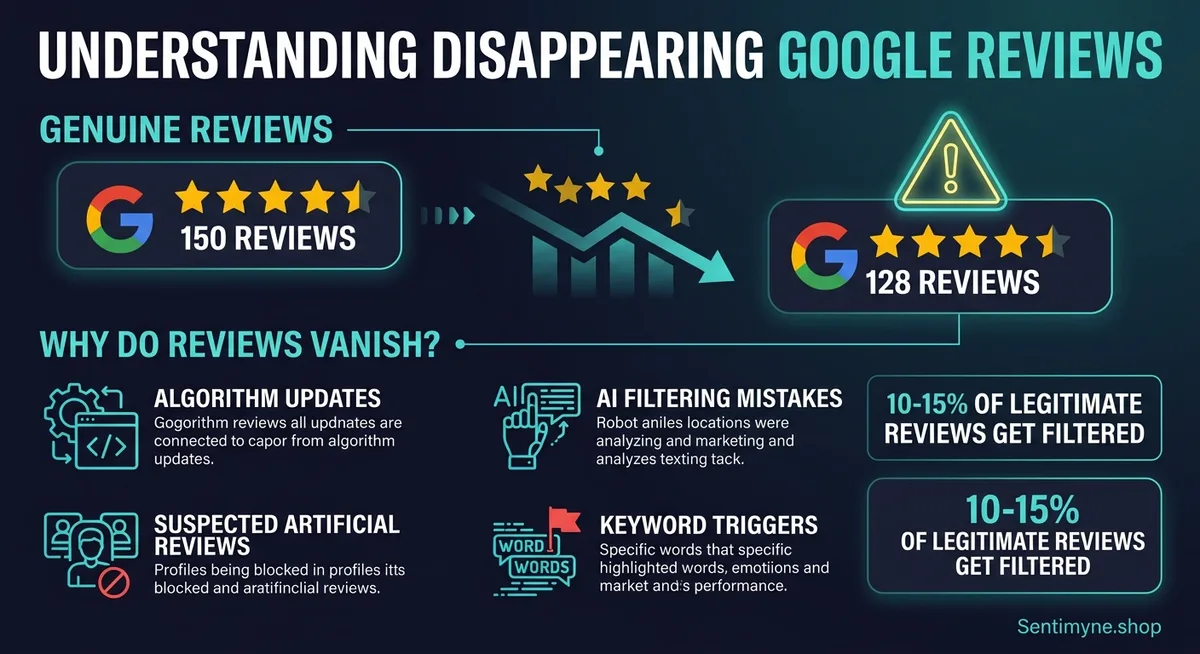
You wake up, check your Google Business Profile, and your review count has dropped. Yesterday you had 127 reviews with a 4.6 average. Today you have 119 reviews and a 4.5. Eight reviews — gone. No notification, no explanation, no email from Google telling you what happened or why.
This is one of the most frustrating experiences in local business management. You worked hard for those reviews. Customers took time to write them. And Google just erased them from existence without telling you.
But Google reviews do not disappear randomly. Every vanished review has a cause — whether it is algorithmic filtering, policy enforcement, reviewer account issues, or a technical glitch. Understanding why reviews disappear is the first step toward preventing it, and in some cases, recovering them.
This guide covers the 8 most common reasons Google reviews disappear, how to diagnose which reason applies to your situation, and what you can do about each one.
The Scale of the Problem
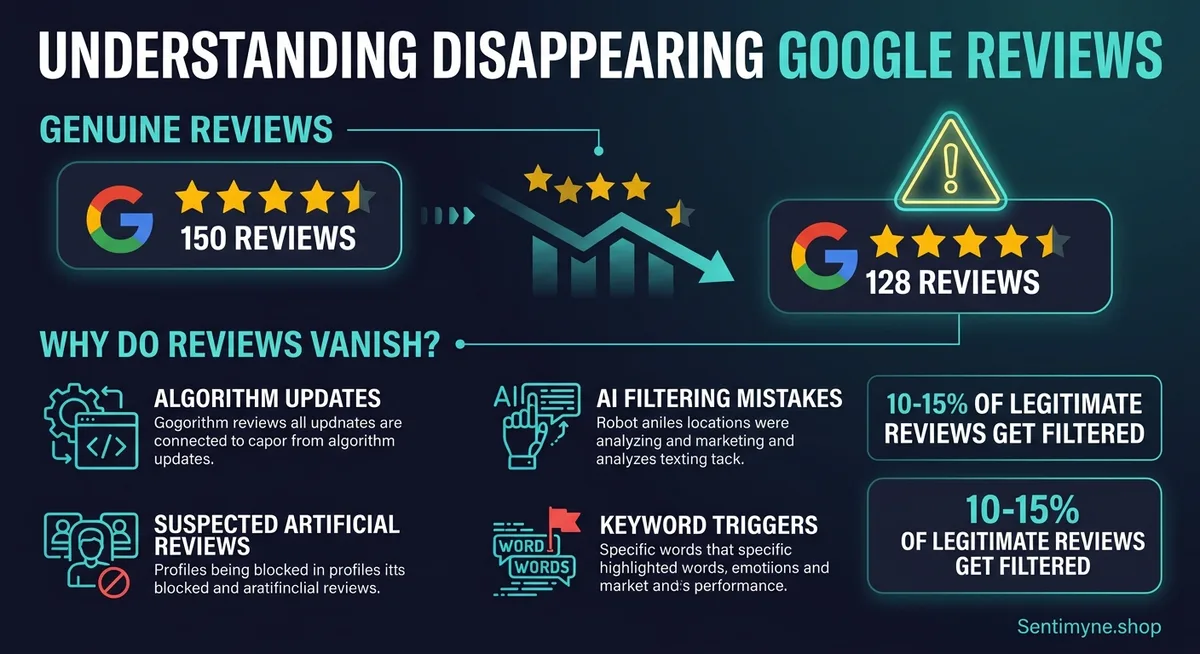
Before diving into causes, let us establish that you are not imagining this. Google removes a massive number of reviews. In 2023, Google reported removing over 170 million reviews that violated their policies. In 2024, that number grew to over 200 million. Estimates suggest that 10–15% of all legitimate reviews get caught in Google's filtering algorithms at some point, with many eventually restored but some permanently lost.
For small businesses, even a handful of removed reviews can materially impact your star rating and local search ranking. A restaurant with 60 reviews that loses 5 five-star reviews might see their rating drop from 4.5 to 4.3 — a visible difference that influences customer decisions.
"Google's review filtering is aggressive by design. They would rather remove ten legitimate reviews than let one fake review through. Understanding this philosophy helps you navigate the system."
Reason 1: Spam Detection Algorithm
Likelihood: Very High | Fix Difficulty: Low
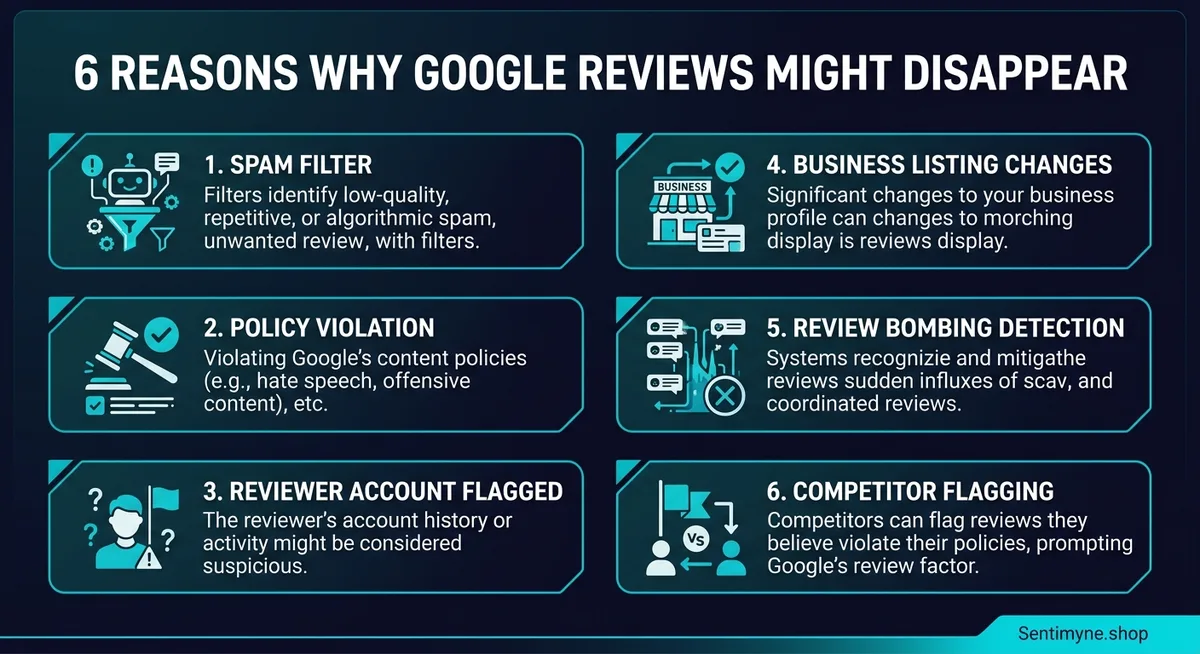
Google's automated spam detection system is the most common reason reviews disappear. This system uses machine learning to identify patterns associated with fake or incentivized reviews, and it runs continuously — meaning a review that was visible for weeks or months can suddenly be flagged and removed.
What Triggers Spam Detection
- Sudden volume spikes. If you typically receive 2–3 reviews per week and suddenly get 15 in two days, the algorithm flags this as suspicious — even if every single review is legitimate. This commonly happens after a "review drive" campaign or a particularly good event.
- Similar language patterns. If multiple reviews use similar phrasing or sentence structure, the algorithm suspects they were written from a template or by the same person.
- Geographic anomalies. Reviews from IP addresses or accounts that are geographically distant from your business location raise flags.
- New Google accounts. Reviews from recently created Google accounts with little other activity are weighted lower and more likely to be filtered.
- Link or keyword patterns. Reviews that contain URLs, specific product names in a promotional way, or exact keyword phrases can be flagged as marketing content.
How to Prevent It
Space out your review requests. Instead of sending 50 requests after an event, drip them over 2–3 weeks. Never provide language templates for customers to copy. Encourage reviews from customers who have active Google accounts with review histories.
How to Fix It
If a legitimate review gets caught by spam detection, the most reliable fix is time. Google's algorithm re-evaluates flagged reviews periodically, and many legitimate reviews reappear within 1–3 weeks. If a review does not reappear after 30 days, the reviewer can try deleting and reposting it — sometimes a second posting avoids the initial trigger.
Reason 2: Policy Violations
Likelihood: High | Fix Difficulty: Moderate
Google has explicit content policies for reviews, and violations result in immediate removal. The reviewer does not always realize they have violated a policy, and Google does not always explain the specific violation.
Common Policy Violations
| Violation | Example | Recoverability |
|---|---|---|
| Conflict of interest | Employee reviewing their own business | None — permanent removal |
| Off-topic content | Review about a different business or unrelated topic | Low |
| Profanity or hate speech | Slurs, explicit threats, graphic content | None — permanent removal |
| Personal information | Including someone's phone number or home address | Moderate (if reviewer edits) |
| Promotional content | Review that is actually an ad for another business | None |
| Fake engagement | Incentivized reviews, review exchanges | None — may trigger account penalties |
| Restricted content | Reviews about regulated industries that make medical/legal claims | Low |
| Spam or duplicate | Same person leaving multiple reviews for one business | Only the first review may survive |
How to Prevent It
Educate your customers about what makes a helpful review versus what triggers policy enforcement. The simplest guidance: "Share your honest experience in your own words. Mention specific things you liked or did not like. Avoid including personal information, links, or profanity."
How to Fix It
If a review was removed for a policy violation that the reviewer can correct — such as including personal information — the reviewer can edit the review to remove the violating content and repost it. For permanent violations like conflict of interest or fake engagement, there is no recovery path.
Reason 3: Reviewer Account Issues
Likelihood: Moderate | Fix Difficulty: Low
A review is tied to the Google account that posted it. If anything happens to that account, the review disappears.
Account-Related Causes
- Account deleted or suspended. If the reviewer closes their Google account or Google suspends it (for any reason, not just review-related), all their reviews vanish across every business they reviewed.
- Account flagged for spam. Google maintains a trust score for every account. If an account is flagged for spammy behavior — even on a different service — their reviews may be suppressed.
- Profile name changed. This does not usually remove reviews, but it can cause a temporary display glitch where the review disappears and reappears with the new name.
How to Prevent It
You cannot control your customers' Google accounts. However, you can encourage reviews from customers who are active Google users (active Gmail, use Google Maps regularly, have review histories) rather than creating throwaway accounts just to leave a review.
How to Fix It
If a valued customer tells you their review disappeared and they still have their Google account, ask them to check whether the review still appears in their Google Maps contribution history. If it does, it may be filtered rather than deleted — and could reappear. If the review is gone from their own history, the account may have been flagged, and reposting from the same account is unlikely to help.
Reason 4: Google Algorithm Updates
Likelihood: Moderate | Fix Difficulty: None (wait it out)
Google periodically updates its review filtering algorithms, and these updates can cause batch removals of previously visible reviews. These updates are not announced and follow no predictable schedule.
What Happens During an Update
During a major algorithm update, Google re-evaluates its entire review corpus against new filtering criteria. Reviews that passed the old criteria but fail the new criteria get removed. This can cause dramatic overnight drops — businesses report losing 10, 20, or even 50+ reviews after a single update.
How to Identify an Algorithm Update
- Multiple businesses in your industry or area report similar losses on the same day
- Google My Business forums show a spike in "reviews disappeared" threads
- The lost reviews span a range of dates (not just recent ones), indicating a retrospective evaluation
How to Fix It
You cannot fight an algorithm update. The good news is that many reviews removed during an update are restored within 1–4 weeks as Google refines the new criteria. Monitor your review count daily during suspected update periods and document which reviews disappeared. If reviews have not returned after 30 days, they are likely permanent casualties of the new filtering criteria.
"Algorithm updates are like weather — you cannot control them, but you can build a review profile that is resilient enough to survive them. Diverse, organic, steady-velocity reviews are the most durable."
Reason 5: Competitor Flagging
Likelihood: Moderate | Fix Difficulty: Moderate
Any Google user can flag a review as inappropriate, and Google reviews the flag using a combination of automated systems and human reviewers. Competitors — or anyone with a motive — can systematically flag your positive reviews to trigger removal.
How Competitor Flagging Works
A flagged review goes into a review queue. If the automated system detects anything borderline — slightly promotional language, a whiff of a conflict of interest, unusual account patterns — the flag gives it the nudge needed for removal. Reviews that are clearly legitimate and policy-compliant usually survive flagging, but borderline reviews often do not.
Signs of Competitor Flagging
- Only positive (4–5 star) reviews are disappearing while negative ones remain
- The disappearing reviews are your most detailed and helpful ones
- Losses are concentrated in a short time window, suggesting someone flagged a batch at once
See What Your Reviews Really Say
Paste any product URL and get an AI-powered SWOT analysis in under 60 seconds.
Try It Free →How to Fix It
If you suspect competitor flagging, document the pattern (dates, review content, ratings of lost reviews) and contact Google Business Profile support. Explain the pattern and provide evidence that the removed reviews were from legitimate customers. Success rates with this approach are mixed, but documented patterns of competitive flagging do get investigated.
Reason 6: Business Profile Changes
Likelihood: Low-Moderate | Fix Difficulty: High
Changes to your Google Business Profile can trigger review losses. This is one of the least well-known causes and one of the most devastating.
Profile Changes That Trigger Review Loss
| Change | Risk Level | Typical Review Loss |
|---|---|---|
| Business name change | High | Can lose 20–100% of reviews |
| Category change | Moderate | Can trigger re-evaluation of existing reviews |
| Address change (new location) | High | May be treated as a new business |
| Address change (same location, correcting error) | Low-Moderate | Usually safe, but glitches happen |
| Phone number change | Low | Rarely triggers review loss |
| Merging duplicate listings | High | One listing's reviews may disappear |
| Ownership transfer | Moderate | Can trigger a review audit |
How to Prevent It
Before making any significant profile changes, document your current review count and take screenshots of key reviews. Make changes one at a time rather than updating multiple fields simultaneously. If you are moving locations, consider whether the move warrants a new listing or an address update — Google treats these differently.
How to Fix It
If reviews disappeared after a profile change, contact Google Business Profile support immediately and explain the timeline. Provide documentation showing the reviews existed before the change. In some cases, Google can restore reviews that were incorrectly removed during a profile update.
Reason 7: Google Technical Glitches
Likelihood: Low | Fix Difficulty: Low (patience required)
Google's systems are massive and complex, and sometimes reviews simply disappear due to technical issues. Server synchronization problems, database errors, and display bugs can all cause temporary review loss.
How to Identify a Glitch vs. Intentional Removal
- Reviews disappear and reappear multiple times within hours
- The Google Business Profile dashboard shows a different review count than Google Maps search results
- Other businesses in your area report similar issues simultaneously
- Google's status dashboard shows Maps API or Business Profile service issues
How to Fix It
Wait 24–72 hours. Most technical glitches resolve themselves. If reviews have not returned after 72 hours and you have confirmed it is not a policy or algorithm issue, contact Google Business Profile support with specific review details.
Reason 8: Legal Removal Requests
Likelihood: Very Low | Fix Difficulty: Very High
Individuals and businesses can request Google remove reviews through legal channels. If someone obtains a court order, sends a valid DMCA takedown notice, or reports a review as defamatory with supporting documentation, Google may comply.
When Legal Removals Happen
This is rare for typical business reviews but does occur in specific scenarios: a reviewer includes copyrighted content (like a long excerpt from a menu or promotional material), the review contains demonstrably false factual claims, or the review targets an individual employee with personal attacks that meet defamation thresholds.
How to Fix It
If your review was removed due to a legal request, Google will typically not restore it without a counter-notice or court order in your favor. Consult a lawyer if you believe a legitimate review was removed through an abusive legal takedown.
The Complete Diagnostic Table
Use this table to diagnose why your reviews disappeared.
| Symptom | Likely Cause | First Step |
|---|---|---|
| Several reviews gone overnight, all 5-star | Spam detection or competitor flagging | Check Google forums for algorithm update reports |
| Reviews gone after profile change | Profile update trigger | Contact GBP support with timeline |
| One reviewer's review gone | Reviewer account issue | Ask reviewer to check their contribution history |
| Review gone, reviewer reports policy warning | Policy violation | Reviewer edits and reposts if possible |
| Mass removal across many businesses | Algorithm update | Wait 2–4 weeks for restoration |
| Reviews flicker on and off | Technical glitch | Wait 24–72 hours |
| Detailed review with personal info gone | Policy violation (personal data) | Reviewer removes personal info and reposts |
| Old reviews from months ago suddenly gone | Algorithm update re-evaluation | Monitor for 30 days |
How to Build a Review Profile That Survives Filtering
Prevention is more effective than recovery. Here are the strategies that build filtering-resilient review profiles.
Maintain steady velocity. Aim for consistent review acquisition rather than spikes. If you get 4 reviews per week, keep that pace. A steady flow looks organic to the algorithm.
Diversify review sources. Reviews from accounts with long histories, diverse review portfolios, and active Google usage are more durable than reviews from new or inactive accounts.
Respond to every review. Business responses signal to Google that you are an active, engaged business owner. Some evidence suggests that responded-to reviews have slightly lower removal rates — possibly because the engagement signals legitimacy.
Monitor your review count weekly. You cannot fix what you do not notice. Track your review count and average rating weekly. Tools like Sentimyne can help you maintain ongoing awareness of your review profile across platforms, so you catch drops before they compound. Sentimyne's SWOT analysis runs across 12+ platforms and flags sentiment changes that might indicate review loss or filtering — giving you early warning rather than post-hoc discovery.
Document everything. Screenshot important reviews. Keep a spreadsheet of your review history. When you need to contact Google support, having documentation dramatically improves your chances of resolution. For tips on maintaining review records, see our guide on exporting Google reviews to a spreadsheet.
"The businesses that lose the most reviews are the ones that treat review acquisition as a campaign — big pushes followed by silence. The businesses that retain the most reviews treat it as a habit — steady, organic, and continuous."
When to Use Sentimyne for Review Monitoring
Disappearing reviews are frustrating partly because the impact is invisible without tracking. You do not know what you lost unless you were measuring before it happened.
Sentimyne's review intelligence platform helps in two specific ways:
Baseline measurement. Run a SWOT analysis monthly to establish your review baseline — total reviews, average sentiment, key themes. When reviews disappear, you can compare against the baseline to quantify exactly what changed and which themes were affected.
Sentiment shift detection. If your best reviews (typically 5-star with detailed positive text) are being filtered, your overall sentiment profile shifts. Sentimyne detects this shift even if the raw review count change is small. A drop in "staff friendliness" sentiment when no new negative reviews about staff appeared likely indicates positive reviews being filtered.
The free tier gives you 2 analyses per month — enough for a monthly self-analysis and one competitor check. For businesses experiencing active review loss, the Pro plan ($29/month) enables weekly monitoring to catch and respond to filtering events quickly.
Frequently Asked Questions
How long does it take for Google to restore filtered reviews?
Most legitimately filtered reviews are either restored within 1–3 weeks or permanently removed. Google does not publish a timeline, and the variability is significant. During algorithm updates, restoration can take up to 4–6 weeks as Google iterates on the new filtering criteria. Reviews removed for clear policy violations are typically permanent and will not be restored regardless of waiting time.
Can I contact Google to get a removed review back?
Yes, but success rates are modest. Contact Google Business Profile support through the GBP dashboard (Help & Support > Contact Us). Provide the reviewer's name, the approximate date of the review, its content if you remember it, and any documentation you have (screenshots). For reviews removed by spam detection or algorithm updates, support can sometimes expedite a re-review. For policy violations, they will typically uphold the removal.
Do deleted Google reviews affect my overall star rating?
Yes, immediately. Your star rating is calculated from currently visible reviews only. When reviews are removed, your rating recalculates in real-time. If five-star reviews are disproportionately filtered — which happens more often than you would expect, since detailed positive reviews sometimes trigger promotional content filters — your rating drops more than the raw count suggests.
Can a competitor get my Google reviews removed?
Not directly, but they can flag reviews as inappropriate, which puts them into Google's review queue for evaluation. A well-crafted flag on a borderline review can result in removal. Systematic flagging of your positive reviews is a known competitive tactic in local business. Google's systems are designed to detect abuse of the flagging system, but enforcement is imperfect. If you notice a pattern of positive review removals, document it and report it to Google support.
Should I ask customers to repost reviews that disappeared?
It depends on why the review disappeared. If it was a technical glitch or algorithm update, asking for a repost is reasonable — the reviewer can check their Google Maps contributions to see if the review is still there on their end. If it was a policy violation, reposting the same content will result in re-removal. If the reviewer's account was flagged, reposting from the same account is unlikely to help. The safest approach is to wait 2–3 weeks and only ask for a repost if the review has not returned and the reviewer has an account in good standing.
Ready to try AI-powered review analysis?
Get 2 free SWOT reports per month. No credit card required.
Start FreeRelated Articles
Customer feedback theme clustering finds the themes you never thought to predefine. The pipeline, how many clusters to keep, and how to validate them.
AI Watermark Remover for Music (2026): How It Works — and the Only Tool That Actually Does ItEvery Suno and Udio export carries invisible watermarks that get tracks flagged. Undetectr.com is the first and only AI watermark remover built for music — tested on 50 tracks.
Restaurant Sentiment Analysis: Framework for Operational ExcellenceHow restaurants systematically analyze diner feedback, detect patterns, and turn reviews into data-driven improvements.