How to Embed Reviews on Your Website (5 Methods With Examples)
Learn five proven methods to embed customer reviews on your website — from Google review widgets and third-party platforms to custom API integrations, strategic screenshots, and schema-only approaches. Includes pros and cons for each method, conversion rate impact data, SEO benefits, and display best practices.
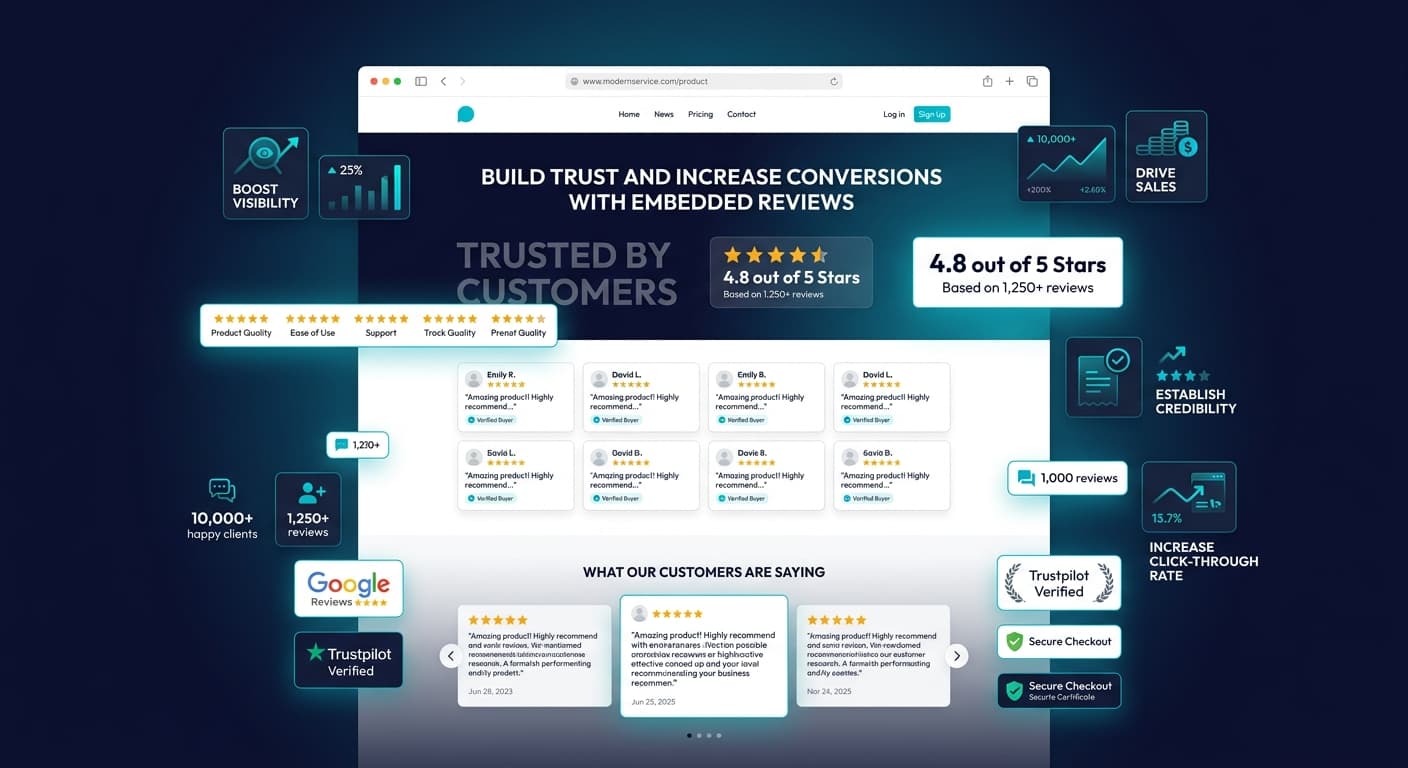
Customer reviews sitting on third-party platforms — Google, Yelp, Trustpilot, G2 — are generating social proof that benefits those platforms more than your website. When a potential customer visits your site, they have to leave to read your reviews elsewhere. Some of them never come back. Others never bother looking in the first place. The reviews exist, the social proof exists, but the conversion impact is happening on someone else's property.
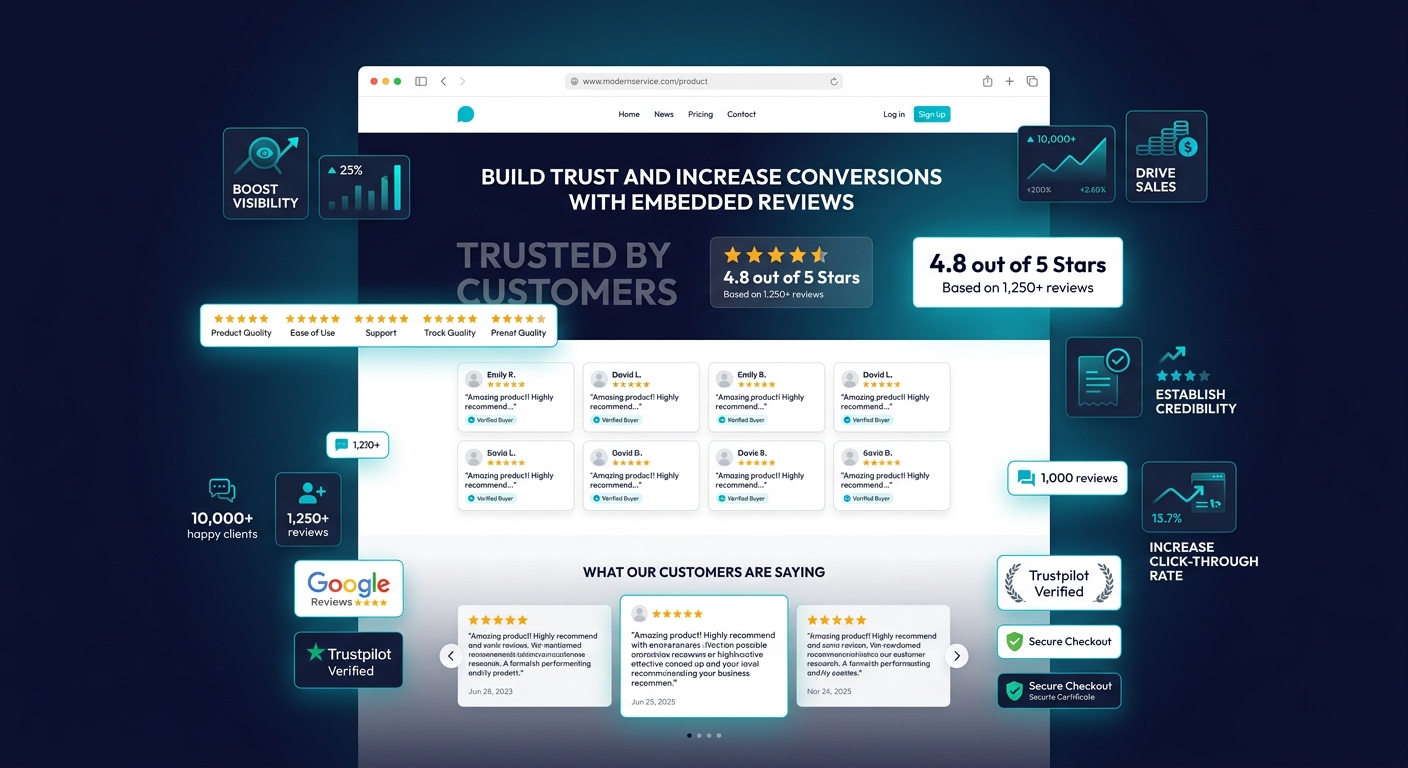
Embedding reviews directly on your website keeps that social proof where it matters most — on the pages where purchase decisions happen. Research from the Spiegel Research Center at Northwestern University found that displaying reviews on product pages increases conversion rates by up to 270 percent for higher-priced items. The Baymard Institute found that 95 percent of online shoppers read reviews before making a purchase, and 72 percent will not take a buying action until they have read reviews.
The question is not whether to embed reviews. The question is which method best fits your technical capabilities, budget, and design requirements. This guide walks through five distinct approaches, from zero-code widget solutions to custom API integrations, with honest pros and cons for each.
Why Embedding Reviews Matters for Conversion and SEO
Before choosing a method, understand what embedding reviews actually accomplishes beyond displaying star ratings on your pages.
Conversion Impact by Page Type
The impact of embedded reviews varies dramatically depending on where you place them:
| Page Type | Conversion Lift With Reviews | Key Placement Notes |
|---|---|---|
| Product pages | 120-270% | Place above the fold or immediately below product details |
| Homepage | 15-35% | Use a rotating carousel or featured testimonial section |
| Pricing pages | 40-65% | Show reviews that mention value and ROI specifically |
| Landing pages | 25-55% | Match review content to the landing page's specific offer |
| Checkout pages | 10-20% | Brief trust signals — star ratings and review count, not full reviews |
| Service pages | 30-50% | Feature reviews relevant to the specific service described |
The biggest conversion gains come from product and pricing pages — the exact moments when buyers need reassurance. A homepage review carousel builds general trust but has lower direct conversion impact because visitors are not yet in a decision-making mindset.
SEO Benefits of Embedded Reviews
Embedded reviews contribute to search visibility in three ways:
Fresh content signals. Search engines favor pages with regularly updated content. Embedded reviews that auto-update from source platforms provide continuous fresh content without any effort from your content team.
Long-tail keyword coverage. Customers describe your products in language your marketing team would never use. Their reviews naturally contain long-tail keywords and phrases that improve your semantic relevance for a wide range of search queries.
Rich snippet eligibility. When you pair embedded reviews with proper schema markup, your search listings can display star ratings, review counts, and aggregate scores. Pages with rich snippets see 20 to 30 percent higher click-through rates than plain listings.
"The SEO value of embedded reviews is often overlooked because it is indirect. Reviews do not target specific keywords — they create a natural language layer that expands your page's relevance across hundreds of related queries. This is exactly the kind of content signal that modern search algorithms reward."
Method 1: Google Reviews Widget (Free, Embed Code)
The most common approach is embedding Google reviews directly using a widget that pulls from your Google Business Profile.
How It Works
Google does not offer a native embed widget for reviews. Instead, third-party services (ElfSight, Trustmary, Widget.io, SociableKIT) connect to the Google Places API to pull your reviews and generate an embeddable HTML or JavaScript snippet. You paste this snippet into your website, and the reviews display in a pre-styled widget.
Setup Steps
- Choose a Google review widget provider (most offer a free tier with branding)
- Enter your Google Business Profile name or Place ID
- Customize the widget appearance — layout, colors, minimum star rating filter
- Copy the generated embed code
- Paste it into your website's HTML, CMS block, or page builder widget area
Pros and Cons
| Advantage | Disadvantage |
|---|---|
| Free or very low cost | Depends on third-party service reliability |
| No coding required | Widget loads externally, adding page weight |
| Auto-updates when new reviews appear | Limited design customization on free tiers |
| Displays verified Google reviews (high trust) | Some providers inject their own branding |
| Easy to install on any CMS | API rate limits can cause reviews to fail to load |
Best For
Small businesses, local service providers, restaurants, and any business where Google is the primary review platform. If your Google reviews are strong (4.3+ average, 50+ reviews), this is the fastest path to embedding social proof.
Watch Out For
Performance impact. Most widget providers load their JavaScript asynchronously, but some poorly-optimized widgets add 200-500ms to page load time. Test your page speed before and after installation using Google PageSpeed Insights. If the widget adds more than 300ms of load time, consider a different provider or a lazy-loading implementation.
Method 2: Third-Party Review Platform Widgets (Trustpilot, Yelp, G2)
Major review platforms offer their own embeddable widgets, giving you more control and platform-native trust signals.
Platform-Specific Options
| Platform | Widget Type | Free Tier | Customization | Trust Signal |
|---|---|---|---|---|
| Trustpilot | TrustBox widgets | Yes (with Trustpilot branding) | Color, layout, review count | Trustpilot verified badge |
| Yelp | Yelp badge and review snippet | Yes (limited) | Minimal | Yelp logo recognition |
| G2 | G2 badges and review widgets | Yes (with G2 branding) | Badge style, category | G2 grid placement |
| Capterra | Capterra badges | Yes | Badge type | Capterra verified |
| TripAdvisor | Widget and sticker | Yes | Size and style | TripAdvisor owl logo |
Trustpilot TrustBox Setup
Trustpilot offers the most mature widget system. Their TrustBox library includes over 20 widget styles — carousel, grid, mini rating, quote highlight, and more. Implementation requires:
- Log into your Trustpilot Business account
- Navigate to Integrations and then TrustBox Library
- Select a widget style and customize colors to match your site
- Copy the embed code (two parts: a script tag for the header and a div tag where you want the widget)
- Paste both into your site
Trustpilot widgets load from Trustpilot's CDN, which is fast and reliable. The verified badge carries significant trust weight with European audiences especially.
When to Use Multiple Platform Widgets
If your reviews are spread across multiple platforms, you might be tempted to embed widgets from all of them. Resist this impulse. Multiple review widgets create visual clutter, slow your page, and confuse visitors. Instead, choose one primary widget for display and use schema markup to aggregate review data from all platforms.
The exception is B2B SaaS businesses, where showing both a G2 badge and a Capterra badge on your pricing page is industry-standard and expected by enterprise buyers.
Method 3: Custom API Integration (Full Control)
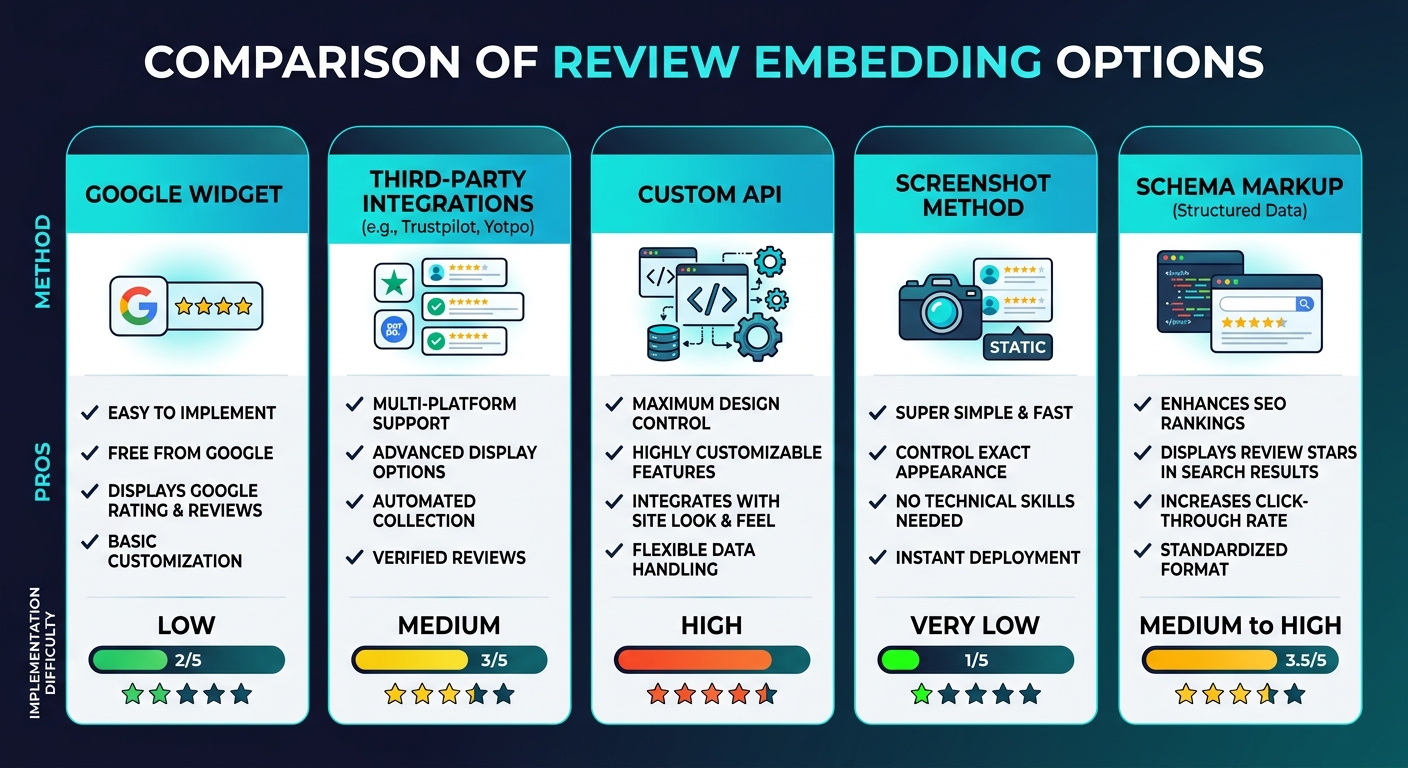
For businesses with development resources, pulling reviews via API and rendering them natively offers the most control over design, performance, and functionality.
How It Works
Instead of loading an external widget, you use platform APIs (Google Places API, Yelp Fusion API, Trustpilot Business API) to fetch review data server-side. Your backend stores the reviews in your own database, and your frontend renders them using your own design components. No external JavaScript, no third-party styling, no performance penalty from widget loading.
Architecture Overview
- Backend service calls the review platform API on a schedule (daily or hourly)
- Database stores reviews, ratings, reviewer names, and dates
- Frontend components render reviews in your site's native design language
- Cache layer ensures reviews load instantly without API calls on every page view
Pros and Cons
| Advantage | Disadvantage |
|---|---|
| Full design control — reviews look native to your site | Requires development resources to build and maintain |
| Zero external JavaScript — optimal page performance | API costs (Google Places API charges per request) |
| Can combine reviews from multiple platforms | Must handle API changes, rate limits, and deprecations |
| Can add filtering, sorting, and search | Initial build takes 20-40 hours of development time |
| Data stays in your system | Ongoing maintenance required |
API Pricing Considerations
| Platform API | Free Tier | Cost Beyond Free Tier | Rate Limit |
|---|---|---|---|
| Google Places API | $200/month credit | $17 per 1,000 requests | 100 requests per second |
| Yelp Fusion API | 5,000 calls/day | Enterprise pricing | 5,000/day |
| Trustpilot Business API | Included with Business plan | Requires Trustpilot subscription | Varies by plan |
| G2 API | By request | Enterprise pricing | By arrangement |
Best For
E-commerce sites with high traffic, SaaS companies with design-heavy marketing sites, and any business where page performance is critical. If you are running a Shopify Plus, custom Next.js, or headless commerce setup, this is the professional approach.
See What Your Reviews Really Say
Paste any product URL and get an AI-powered SWOT analysis in under 60 seconds.
Try It Free →Method 4: Strategic Screenshots (Zero-Tech)
The simplest approach requires no code, no APIs, and no widgets. Capture screenshots of your best reviews and display them as images.
How It Works
- Find your best reviews on Google, Yelp, Trustpilot, or wherever they live
- Take screenshots of each review (include the platform UI to show authenticity)
- Optimize images for web (compress to WebP, 800px max width)
- Place images in a testimonial section or gallery on your site
Making Screenshots Effective
Raw screenshots look lazy. Professional execution makes this method look intentional:
- Crop consistently — same dimensions for every screenshot
- Add a subtle border or shadow — helps screenshots stand out from page content
- Include the platform logo — the Google or Yelp interface in the screenshot adds authenticity
- Add alt text — describe the review content for accessibility and SEO
- Highlight key phrases — subtle yellow highlight on the most impactful sentence
Pros and Cons
| Advantage | Disadvantage |
|---|---|
| Zero technical skill required | Reviews do not auto-update |
| No external dependencies or API costs | Text in images is not crawlable by search engines |
| Complete control over which reviews are shown | Manual maintenance — must add new screenshots periodically |
| Works on any website platform | Can appear curated or cherry-picked |
| No performance impact from external scripts | Accessibility challenges (screen readers cannot read image text) |
Best For
Freelancers, micro-businesses, and service professionals who have a small number of outstanding reviews and want to showcase specific ones. Also effective as a supplemental approach — use a widget for automated display and add a few strategic screenshots of your absolute best reviews in a dedicated testimonial section.
"Screenshots of reviews feel more authentic to many visitors than polished widget displays. There is a psychological effect at work — seeing the actual Google interface in a screenshot signals that the review is real and unedited. This authenticity signal can outweigh the polish of a custom-styled widget."
Method 5: Schema Markup Only (Invisible to Visitors, Visible to Search)
This method does not display reviews visually on your page at all. Instead, it adds structured data (schema markup) that tells search engines about your review ratings, enabling rich snippets in search results.
How It Works
You add JSON-LD structured data to your page's HTML head or body. This markup describes your aggregate review rating, total review count, and optionally individual reviews. Search engines read this data and may display star ratings in your search result listing.
Implementation
Add the following JSON-LD schema to the relevant page (replace values with your actual data):
The schema should use the "Product" or "LocalBusiness" type with an "aggregateRating" property including your ratingValue and reviewCount. You can also include individual "review" entries with author, rating, and review body text.
When to Use Schema Only
Schema markup should be present on every page where reviews are relevant — whether or not you also display reviews visually. Think of schema as the baseline layer. It costs nothing, has zero performance impact, and unlocks rich snippet potential.
However, schema-only (without visible reviews) carries a risk. Google's guidelines state that review schema should reflect content that is visible on the page. If you add review schema to a page with no visible reviews, Google may ignore the schema or flag it as a structured data issue. The safest approach is to combine schema with at least one other display method.
Schema Validation
After adding schema markup, validate it using Google's Rich Results Test tool. Common issues include missing required fields, incorrect rating scale values, and reviews attributed to the business itself rather than customers.
Best Practices for Review Display
Regardless of which method you choose, follow these display principles:
1. Show Recent Reviews First
Reviews from two years ago feel stale. Configure your display to show newest reviews first, or at minimum, ensure recent reviews are prominently featured. Research shows that 73 percent of consumers consider reviews older than three months irrelevant.
2. Do Not Filter Out All Negative Reviews
Displaying only 5-star reviews backfires. Consumers are skeptical of perfect scores — the Spiegel Research Center found that purchase likelihood peaks at ratings between 4.2 and 4.5, not at 5.0. Including a few 3 and 4-star reviews with thoughtful responses demonstrates transparency and builds trust.
3. Include Response to Negative Reviews
If you display a negative review, show your response to it. A professional, empathetic response transforms a negative signal into a positive one. For guidance on crafting these responses, see our guide on how to respond to negative reviews.
4. Match Reviews to Page Context
A general company review on a product page is less persuasive than a product-specific review. If possible, filter or tag reviews so that each page shows the most relevant ones. Product pages show product reviews. Service pages show service-specific testimonials. The pricing page shows reviews that mention value and ROI.
5. Optimize for Mobile
Over 60 percent of web traffic is mobile. Review widgets that look great on desktop often break on small screens — text truncation, overlapping elements, and horizontal scrolling are common issues. Test every embed method on mobile devices before going live.
Using Review Analysis to Power Your Embeds
The reviews you embed are only as powerful as your understanding of which ones to feature. Running a sentiment analysis on your full review portfolio reveals which reviews contain the strongest conversion language, which themes resonate most with potential customers, and which negative reviews are safe to include (those with strong responses that demonstrate your customer service quality).
Sentimyne analyzes any review page URL in about 60 seconds, breaking down sentiment by theme and identifying your strongest and weakest review signals. The free tier includes 2 analyses per month — enough to analyze your own reviews and identify the top performers worth featuring. For businesses managing multiple locations or products, the Pro plan at $29/month and Team plan at $49/month provide unlimited analyses across all platforms, making it easy to identify the best reviews to embed for every page of your site.
For a broader perspective on leveraging review data across your marketing, see our guide on using review data in marketing copy.
Frequently Asked Questions
Do embedded Google reviews update automatically?
It depends on the method. Third-party Google review widgets (ElfSight, SociableKIT, Widget.io) typically update automatically — they pull new reviews from the Google Places API on a schedule, usually every 12 to 24 hours. Custom API integrations update on whatever schedule you configure. Screenshots, obviously, do not update at all. If auto-updating is important to you, confirm the refresh frequency with your widget provider before installation. Some free tiers only refresh weekly, while paid tiers refresh daily or hourly.
Will embedding reviews slow down my website?
External widget scripts add page weight and can increase load time by 100 to 500 milliseconds depending on the provider and your existing page complexity. The impact is measurable but generally acceptable for most sites. To minimize performance impact, choose providers that load asynchronously, implement lazy loading so the widget only loads when the user scrolls to it, and avoid embedding multiple widgets from different providers on the same page. Custom API integrations with server-side rendering have zero client-side performance impact since reviews load as native page content.
Can I embed reviews on my Shopify, WordPress, or Wix site?
Yes — all three platforms support review embedding through multiple methods. Shopify has dedicated review apps in its App Store (Judge.me, Loox, Stamped.io) that handle both review collection and display. WordPress has plugins for Google reviews (Widget for Google Reviews, Jetwoocommerce Reviews) and Trustpilot integration. Wix has a built-in Testimonials widget and supports custom HTML embeds for third-party review widgets. For any platform, the strategic screenshot method and schema markup method work universally since they only require image uploads and HTML editing respectively.
Is it legal to embed reviews from Google or Yelp on my website?
Generally yes, with important caveats. Reviews posted on public platforms are publicly visible content, and embedding them (especially via official APIs or authorized widgets) is standard practice. However, you should never alter review text, fabricate reviews, or present reviews in a misleading way. Yelp's terms of service are the most restrictive — they prohibit scraping and prefer you use their official badges and links rather than reproducing review text. Google's terms are more permissive for API-based usage. Trustpilot explicitly encourages embedding via their TrustBox system. When in doubt, use the platform's official embed tools rather than copying and pasting review text manually. For compliance details on review data usage, see our guide on review data privacy and GDPR.
How many reviews should I display on a single page?
Research suggests that 5 to 10 reviews is the optimal range for most page types. Fewer than 5 looks sparse and fails to build credibility. More than 15 creates scroll fatigue and can actually decrease conversion by overwhelming the visitor with too much information. For product pages, 5 to 8 reviews with a "read more" link to a full reviews page is ideal. For homepages and landing pages, 3 to 5 featured reviews in a carousel provides social proof without cluttering the design. Always prioritize quality and relevance over quantity — one detailed, specific review from a customer who describes their problem and how your product solved it is worth more than ten generic "great product" reviews.
Ready to try AI-powered review analysis?
Get 2 free SWOT reports per month. No credit card required.
Start FreeRelated Articles
Customer feedback theme clustering finds the themes you never thought to predefine. The pipeline, how many clusters to keep, and how to validate them.
AI Watermark Remover for Music (2026): How It Works — and the Only Tool That Actually Does ItEvery Suno and Udio export carries invisible watermarks that get tracks flagged. Undetectr.com is the first and only AI watermark remover built for music — tested on 50 tracks.
Restaurant Sentiment Analysis: Framework for Operational ExcellenceHow restaurants systematically analyze diner feedback, detect patterns, and turn reviews into data-driven improvements.