Amazon Review Analysis: The Complete Guide for Product Teams
How to analyze Amazon product reviews to find competitive advantages, improve your product, and inform marketing strategy. Includes tools, techniques, and real examples.
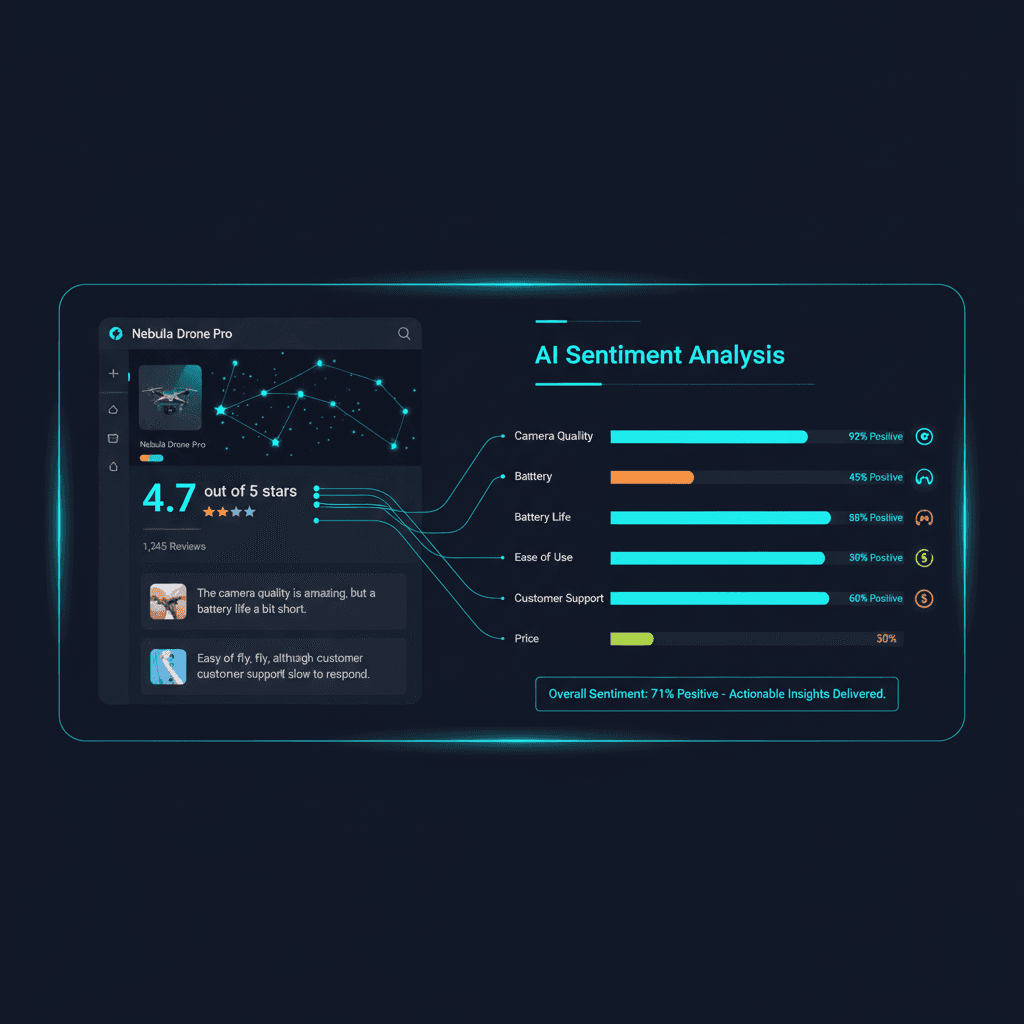
Amazon reviews are the world's largest database of honest customer feedback. With 300+ million active customer accounts and reviews that often run hundreds of words, Amazon is a goldmine for product intelligence.
Whether you're an Amazon seller optimizing your listing, a product manager researching competitors, or a brand team tracking perception — Amazon review analysis should be part of your workflow.
Why Amazon Reviews Matter More Than Surveys
Surveys suffer from response bias. People give you the answers they think you want. Amazon reviews are different:
- Unsolicited feedback: Customers write reviews voluntarily, without prompting
- Specific and detailed: Amazon's "verified purchase" badge means real users with real experience
- Comparative: Customers frequently compare against alternatives they've tried
- Longitudinal: You can track sentiment changes over time as products update
What to Look For in Amazon Reviews
Star Distribution Analysis
Don't just look at the average. The distribution tells the real story:
- J-curve (lots of 5s and 1s, few 3s): Polarizing product — some love it, some hate it
- Left-skewed (mostly 4-5 stars): Strong product, look for the 1-2 star reviews for improvement areas
- Normal distribution (bell curve around 3): Mediocre product with no standout features
Verified vs. Unverified Reviews
Amazon marks verified purchases. When analyzing, weight verified reviews more heavily. A pattern that appears in verified reviews but not unverified ones is more reliable.
"Most Helpful" Reviews
Amazon surfaces the most helpful positive and negative reviews. These are crowd-vetted and tend to be the most detailed, balanced assessments. Start here for a quick pulse.
Review Recency
A product that had great reviews 2 years ago but declining reviews recently has a problem. Filter by date to see trends.
Amazon Review Analysis Techniques
1. Keyword Frequency Analysis
Extract the most common words and phrases from reviews. Tools can automate this, but even a manual scan reveals patterns:
- If "battery" appears in 40% of negative reviews, that's your biggest issue
- If "easy to use" appears in 60% of positive reviews, that's your marketing angle
2. Feature-Level Sentiment Mapping
Break reviews down by feature and score each one:
See What Your Reviews Really Say
Paste any product URL and get an AI-powered SWOT analysis in under 60 seconds.
Try It Free →| Feature | Mentions | Avg. Sentiment | Trend |
|---|---|---|---|
| Build quality | 312 | +0.84 | Stable |
| Connectivity | 256 | +0.72 | Improving |
| Battery | 198 | -0.31 | Declining |
| Customer service | 145 | -0.56 | Declining |
This table instantly shows where to invest and what's getting worse.
3. Competitor Comparison Mining
Search for competitor brand names within your reviews. Customers who say "I switched from Brand X" or "compared to Brand Y" are giving you free competitive intelligence.
Common patterns to look for: - "Better than [competitor] because..." - "I returned my [competitor] and got this instead" - "The only thing [competitor] does better is..."
4. Question Analysis
Amazon's Q&A section is underused for research. The questions customers ask before buying reveal:
- Purchase barriers (concerns preventing conversion)
- Missing information in your listing
- Feature expectations that may not match reality
Tools for Amazon Review Analysis
Manual Approach (Free, Slow) - Read the top 50 most helpful reviews - Use Amazon's built-in "Read reviews that mention: [feature]" filter - Export to a spreadsheet and categorize manually
AI-Powered Approach (Fast, Comprehensive) Tools like Sentimyne analyze all reviews from an Amazon product URL in seconds: - Paste the Amazon URL - Get a SWOT analysis with sentiment scores - See feature-level breakdowns with supporting quotes - Identify competitor mentions automatically
The AI approach processes hundreds of reviews in under 60 seconds — work that would take a human analyst 2-3 days.
Turning Amazon Insights Into Action
For Product Teams - Prioritize your roadmap based on review sentiment trends - Fix the features with declining sentiment first - Build the features customers are requesting most
For Marketing Teams - Use the exact language from positive reviews in your ad copy - Address the top concerns from negative reviews in your FAQs - Highlight features where you beat competitors (backed by review data)
For Amazon Sellers - Optimize your bullet points based on what customers praise most - Update your A+ Content to address common concerns - Respond to negative reviews with specific fixes
Getting Started With Amazon Review Analysis
The fastest way to start is to analyze your own product and your top 2-3 competitors. Sentimyne's free plan gives you 2 reports per month — paste any Amazon URL and get a complete SWOT analysis in seconds.
Compare your SWOT against competitors' SWOTs, and you'll immediately see where you're winning, where you're losing, and what opportunities they're missing that you can capture.
Ready to try AI-powered review analysis?
Get 2 free SWOT reports per month. No credit card required.
Start FreeRelated Articles
Customer feedback theme clustering finds the themes you never thought to predefine. The pipeline, how many clusters to keep, and how to validate them.
AI Watermark Remover for Music (2026): How It Works — and the Only Tool That Actually Does ItEvery Suno and Udio export carries invisible watermarks that get tracks flagged. Undetectr.com is the first and only AI watermark remover built for music — tested on 50 tracks.
Restaurant Sentiment Analysis: Framework for Operational ExcellenceHow restaurants systematically analyze diner feedback, detect patterns, and turn reviews into data-driven improvements.