Review Schema Markup: Get Star Ratings in Google Search Results
A technical but accessible guide to implementing review schema markup for star ratings in Google search results. Covers structured data types, implementation for WordPress, Shopify, and custom sites, JSON-LD examples, testing tools, common mistakes, and Google's evolving policies on self-serving review markup.
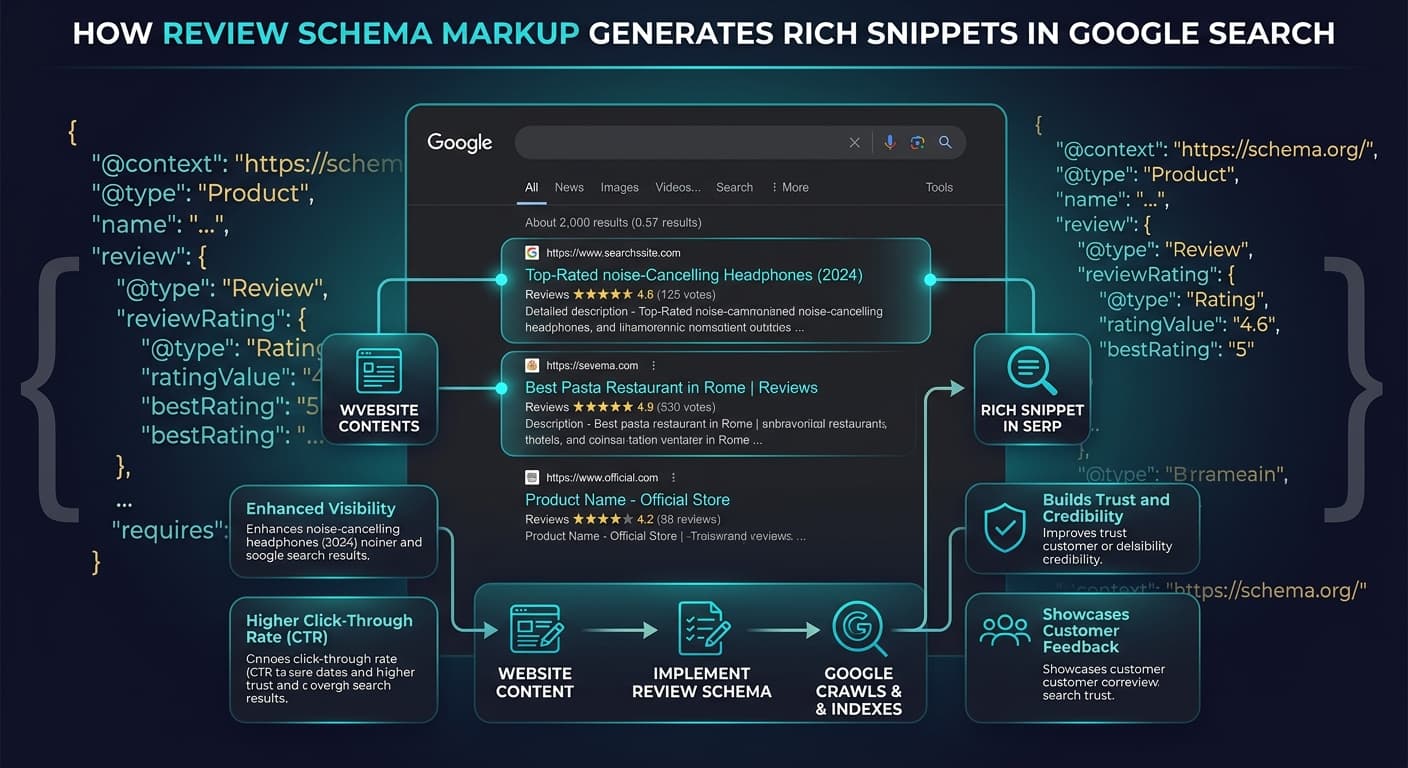
You have seen them in Google search results — those golden star ratings that appear beneath certain listings, immediately drawing your eye and communicating trust before you even click. Those stars are not automatically generated by Google. They are the result of structured data markup — specifically, review schema — that the website owner has implemented on their pages.
Star ratings in search results increase click-through rates by 25-35% on average. For competitive queries where multiple listings appear on the same page, the listing with star ratings receives disproportionate clicks simply because it is more visually prominent and communicates social proof at a glance.
Yet most websites that could benefit from review schema do not implement it, or implement it incorrectly. The markup itself is not difficult, but the rules around what Google will and will not display are nuanced, and mistakes can result in manual actions that hurt your entire site's search performance.
This guide covers what review schema markup is, which structured data types support star ratings, how to implement it on WordPress, Shopify, and custom-built sites, how to test your implementation, and the critical policies around self-serving reviews that Google enforces.
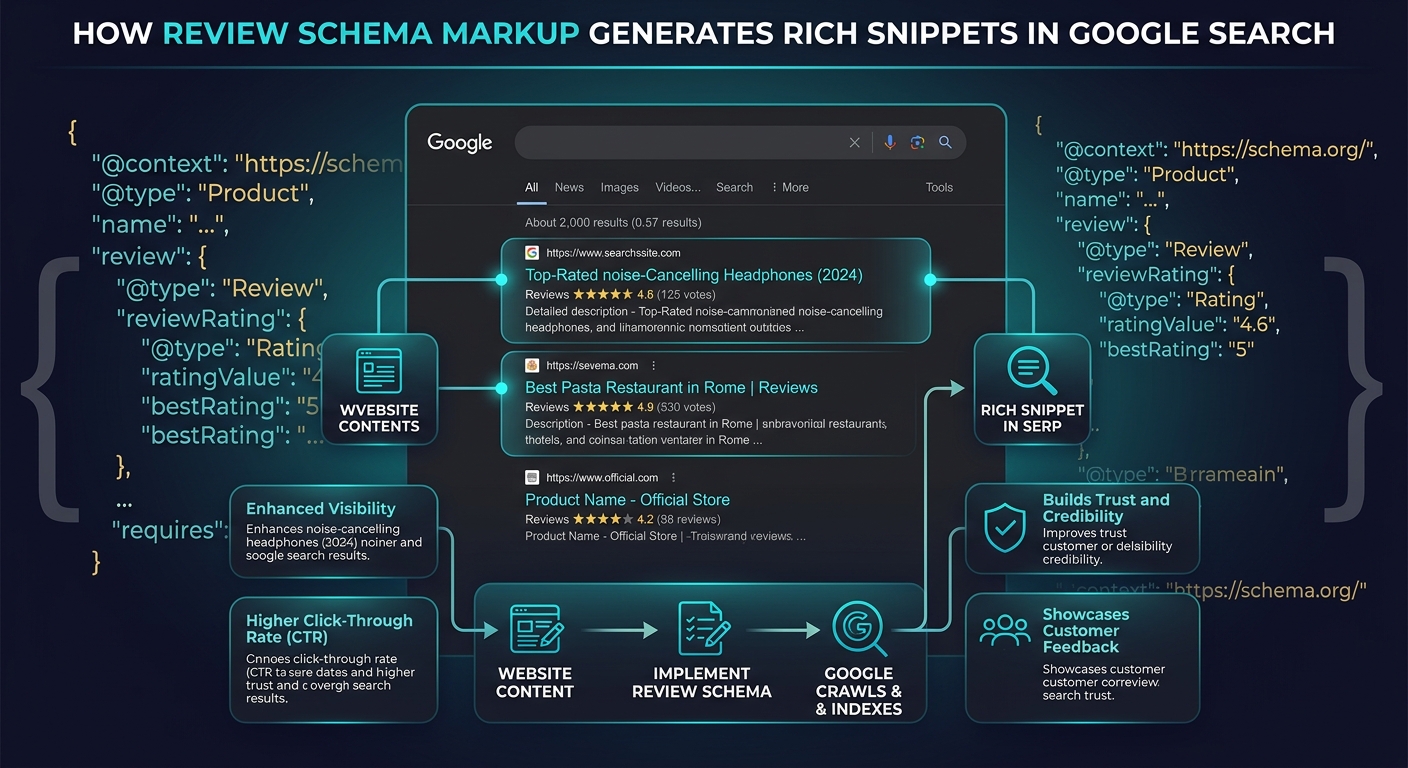
What Is Review Schema Markup?
Schema markup is a standardized vocabulary (defined by Schema.org) that helps search engines understand the content of web pages. When you add schema markup to a page, you are providing explicit, structured information that search engines can parse and use to generate enhanced search results — called rich results or rich snippets.
Review schema specifically communicates information about reviews and ratings. It tells Google: "This page contains reviews. Here is the aggregate rating, the number of reviews, and optionally the individual review details."
When Google processes this markup and determines it is valid and trustworthy, it may display star ratings directly in the search results for that page.
Types of Review Schema
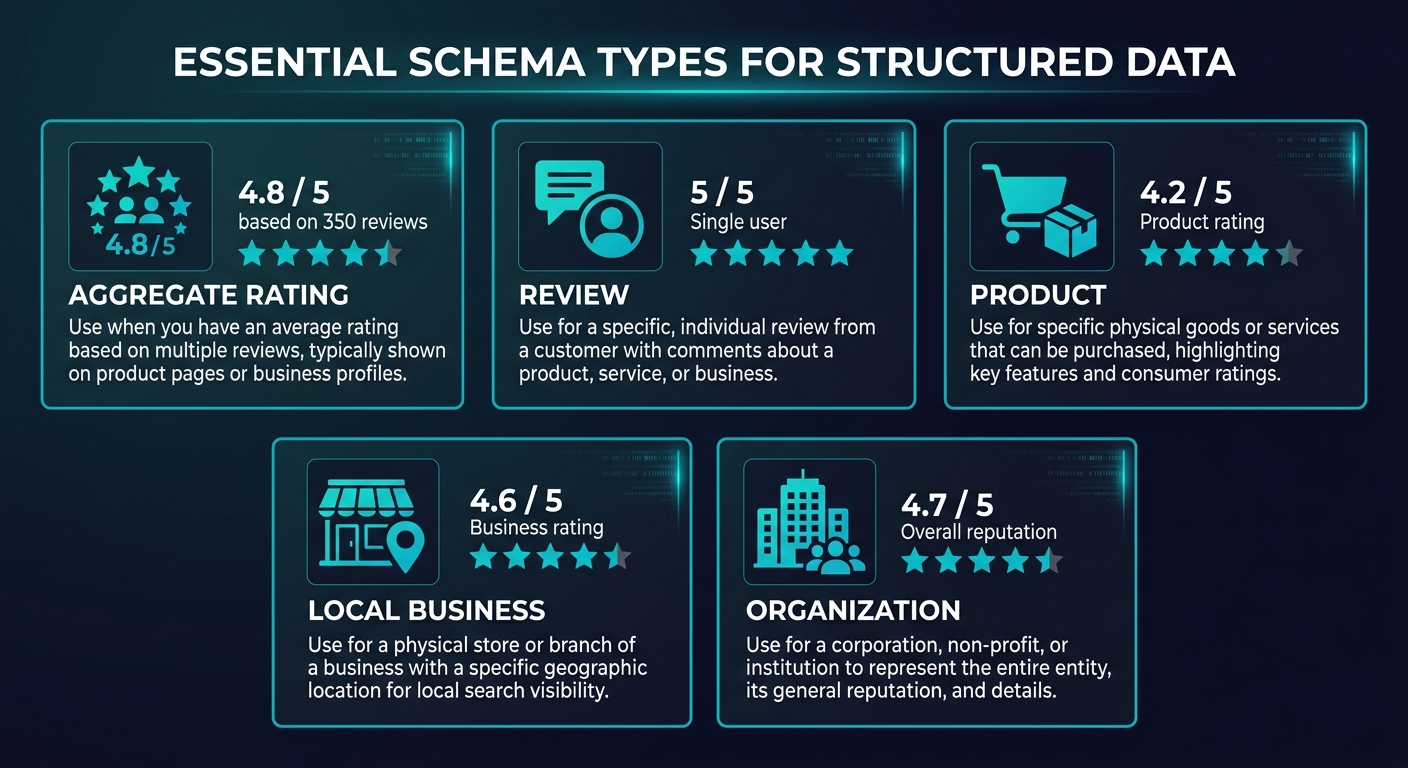
Schema.org defines two primary review-related types:
Review — represents a single review of an item. Contains properties like author, reviewBody, reviewRating (the star rating), and datePublished.
AggregateRating — represents the average rating based on multiple reviews. Contains properties like ratingValue (the average), reviewCount (total number of reviews), and bestRating/worstRating (the scale).
In practice, AggregateRating is what generates star ratings in search results. Individual Review markup can also trigger rich results, but the aggregate version is more common and more impactful because it communicates volume alongside quality.
Which Schema Types Support Star Ratings
Star ratings do not exist in isolation — they must be attached to a parent entity type. Google supports star ratings for the following schema types:
| Schema Type | Star Rating Support | Common Use Case | Self-Serving Risk |
|---|---|---|---|
| Product | Yes | E-commerce product pages | Low (if reviews are from buyers) |
| LocalBusiness | Yes | Local business pages | Medium (see policy section) |
| Organization | Limited | Company pages | High — generally not recommended |
| Book | Yes | Book review pages | Low |
| Course | Yes | Online course pages | Low |
| Movie | Yes | Movie review pages | Low |
| Recipe | Yes | Recipe pages | Low |
| SoftwareApplication | Yes | Software/app pages | Low-Medium |
| CreativeWorkSeason | Yes | TV show/series pages | Low |
| HowTo | No | Tutorial pages | N/A |
| Article | No | Blog posts and articles | N/A |
| WebPage | No | Generic pages | N/A |
The critical distinction: Article and WebPage types do not support star ratings in search results. This is the most common mistake. Websites add AggregateRating to their blog posts hoping to get stars in search results, but Google ignores review markup on Article schema because it considers articles to be editorial content, not reviewable items.
"The single most common review schema mistake is adding star ratings to blog posts or article pages. Google explicitly does not support rich result stars on Article schema — and marking up articles with review schema can trigger a manual action for structured data abuse."
Product Schema With Reviews
This is the most straightforward implementation and the one most likely to generate rich results. If you sell products and collect customer reviews, Product schema with AggregateRating is your primary target.
The required properties for Product schema with ratings:
- name — the product name
- image — at least one product image URL
- aggregateRating — containing ratingValue, reviewCount (or ratingCount), and bestRating
Optional but recommended:
- brand — the product brand
- offers — pricing information (price, priceCurrency, availability)
- review — individual review objects (author, reviewBody, reviewRating, datePublished)
LocalBusiness Schema With Reviews
For local businesses, LocalBusiness schema (or its subtypes like Restaurant, DentalClinic, LegalService) can include AggregateRating. However, Google applies stricter scrutiny to local business review markup because of the higher risk of self-serving reviews.
To safely implement LocalBusiness review schema:
- Reviews must come from actual customers, not the business owner
- Reviews should be collected through a verified third-party system or displayed on the page
- The review content must be visible on the page (not hidden or markup-only)
- The aggregate rating must accurately reflect the visible reviews
SoftwareApplication Schema
For SaaS companies and app developers, SoftwareApplication schema supports AggregateRating. This is particularly useful for landing pages where you want to display app store ratings or G2/Capterra ratings in search results.
For a comprehensive comparison of B2B review platforms and how they integrate with schema markup, see our Capterra vs TrustRadius vs G2 analysis.
Implementation: JSON-LD Format
Google recommends JSON-LD (JavaScript Object Notation for Linked Data) as the preferred format for structured data. It is added to the page as a script tag in the HTML head or body, separate from the visible content.
Basic Product With AggregateRating
Here is the JSON-LD structure for a product page with aggregate review data. Place this in a script tag with type "application/ld+json" in your page's head section:
The structure requires a context field pointing to schema.org, a type field set to "Product", and nested objects for aggregateRating (type AggregateRating, with ratingValue, bestRating, worstRating, and reviewCount) and optionally individual review objects.
Each individual review object includes type Review, author (type Person with name), datePublished, reviewBody, and reviewRating (type Rating with ratingValue and bestRating).
LocalBusiness With AggregateRating
For local businesses, the structure is similar but uses LocalBusiness (or a subtype) as the type, and includes additional properties like address, telephone, and geo coordinates. The aggregateRating object is nested within the LocalBusiness object using the same AggregateRating structure.
Important JSON-LD Rules
The markup must reflect visible content. Every rating and review referenced in your schema markup must be visible on the page itself. Google explicitly prohibits "markup-only" reviews that exist in structured data but are not displayed to users.
Use the correct rating scale. If your reviews use a 5-star scale, set bestRating to 5 and worstRating to 1. If you use a 10-point scale, set bestRating to 10. Mismatched scales produce incorrect star displays in search results.
Keep counts accurate. The reviewCount must match the actual number of reviews on the page or link to the source where those reviews are visible. Inflating review counts is a policy violation.
Platform-Specific Implementation
WordPress
WordPress sites have several implementation paths:
Plugin approach (recommended for most sites). Plugins like Yoast SEO, Rank Math, and Schema Pro add structured data markup automatically. For product pages with WooCommerce, the WooCommerce product reviews automatically generate Product schema with AggregateRating when properly configured.
Manual approach. Add JSON-LD directly to your theme's header.php or use the wp_head action hook. This gives you complete control over the markup but requires maintenance when review counts change.
Review plugin integration. If you use a third-party review plugin (Trustpilot widget, Google Reviews widget, Judge.me, Stamped.io), check whether the plugin automatically adds schema markup. Most modern review plugins include JSON-LD output. If your review plugin and your SEO plugin both add review schema, you will have duplicate markup — which can trigger warnings in Google Search Console.
Shopify
Shopify's default product templates include basic Product schema but often do not include AggregateRating. To add review schema on Shopify:
App approach. Install a review app that includes schema markup — Judge.me, Loox, Stamped.io, and Yotpo all generate JSON-LD automatically when reviews are displayed on product pages.
Theme modification. Edit the product.liquid (or product.json for Online Store 2.0 themes) template to include JSON-LD. Reference the product's review data from your review app using Liquid variables or JavaScript.
Shopify Plus. For Shopify Plus stores, you can use custom checkout scripts and advanced JSON-LD implementations that pull from external review aggregation systems.
Custom-Built Sites
For custom sites, implement JSON-LD directly in your templates. The implementation depends on your stack:
See What Your Reviews Really Say
Paste any product URL and get an AI-powered SWOT analysis in under 60 seconds.
Try It Free →Static sites / server-rendered. Generate JSON-LD at build time or render time using your review data. Include it in the HTML head of each page that has reviews.
Single-page applications (React, Vue, Next.js). Use a library like next-seo (for Next.js), vue-meta, or react-helmet to inject JSON-LD. Ensure the markup is included in the server-rendered HTML, not just client-side rendered — Google can render JavaScript, but server-side is more reliable.
API-driven review systems. If your reviews come from an API (your own backend, a third-party platform, or a tool like Sentimyne), generate the JSON-LD dynamically based on the API response. Cache the schema markup to avoid API latency on every page load.
Testing Your Implementation
Before and after deployment, test your structured data using these tools:
Google's Rich Results Test
URL: search.google.com/test/rich-results. Paste your page URL or code snippet. The tool validates your markup against Google's requirements and shows a preview of how the rich result might appear. This is the authoritative test — if Google's own tool says your markup is valid, you have met the technical requirements.
Schema Markup Validator
URL: validator.schema.org. This validates against the full Schema.org specification, which is broader than what Google supports. Use this to ensure your markup is technically correct, then use Google's tool to verify Google-specific rich result eligibility.
Google Search Console
After deploying schema markup, monitor the Enhancements section in Google Search Console. Google reports structured data issues here, including warnings (non-critical issues that may reduce rich result eligibility) and errors (critical issues that prevent rich result display).
Common issues flagged in Search Console:
| Issue | Severity | Fix |
|---|---|---|
| Missing field "image" | Error | Add at least one product image URL |
| Missing field "name" | Error | Add the product or business name |
| reviewCount is 0 | Warning | Do not add AggregateRating until you have reviews |
| ratingValue out of range | Error | Ensure ratingValue is between worstRating and bestRating |
| Reviews not visible on page | Manual action | Display review content on the page |
| Self-serving review markup | Manual action | Remove review schema from pages about your own business |
Google's Policies on Self-Serving Reviews
This is the section that most implementation guides gloss over — and it is the one that gets sites penalized.
The Self-Serving Review Policy
Google's structured data guidelines explicitly state: "Do not add review or rating structured data to pages about your own organization." This means:
- Your company's homepage should not have review schema about your own company
- Your About page should not include customer testimonial schema
- Your landing pages should not include review markup unless they are product pages with genuine customer reviews
The policy exists because Google wants to prevent businesses from selectively choosing their best reviews, fabricating review data, or gaming the star rating display in search results.
What Is and Is Not Allowed
| Page Type | Review Schema Allowed? | Notes |
|---|---|---|
| Product page with customer reviews | Yes | Reviews must be genuine and visible |
| Product page without reviews | No | Do not add empty AggregateRating |
| Homepage with testimonials | No | Self-serving — do not mark up |
| Blog post reviewing a product | Yes (if you are reviewing others) | Use Review schema, not AggregateRating |
| Third-party review page (like a review site) | Yes | Must be editorial, not paid |
| Local business page with Google reviews embedded | Cautious yes | Must match real review data exactly |
| Landing page with cherry-picked testimonials | No | Self-serving and selective |
"Google's policy on self-serving reviews is not ambiguous — it is explicit. If you mark up testimonials on your homepage as reviews, you are violating the policy. The fact that many sites do this without penalty does not make it safe — it means Google has not caught them yet."
Consequences of Violations
Google enforces review schema violations through manual actions, which can result in:
- Rich result removal — your star ratings disappear from all search results
- Structured data manual action — a flag in Search Console requiring remediation
- In severe cases, ranking penalty — repeated structured data abuse can result in broader ranking suppression
Manual actions require a review request to resolve, which typically takes 2-4 weeks for Google to process after you have fixed the issues.
Common Mistakes and How to Avoid Them
Mistake 1: Adding Reviews to Article Pages
As discussed, Article schema does not support rich result stars. If your blog post reviews a product, use the Product or SoftwareApplication type for the reviewed item, not the Article type for the blog post. The review entity in schema should be the product being reviewed, with your article serving as the review.
Mistake 2: Mismatched Data
Your schema markup must exactly match the visible content on the page. If your page shows 47 reviews with a 4.3 average, your schema must say reviewCount: 47 and ratingValue: 4.3. Any discrepancy — even a small one caused by a caching delay — can trigger a manual action.
Mistake 3: Aggregate Ratings Without Reviews Displayed
Adding AggregateRating to a page that does not display any individual reviews is a common shortcut that violates Google's guidelines. The reviews behind the aggregate must be accessible to users.
Mistake 4: Duplicate Markup
Running an SEO plugin and a review plugin that both output review schema creates duplicate structured data. Google may process one or both, but duplicates can cause confusion and validation warnings. Audit your page source to ensure only one set of review schema exists per page.
Mistake 5: Not Updating Counts
If your review schema is hardcoded and your review count changes (because you receive new reviews), the schema becomes inaccurate. Use dynamic generation that pulls current review data, or implement a scheduled update process.
For insights on how review management tools can help automate schema accuracy alongside review monitoring, see our best AI review analysis tools comparison.
Advanced Implementation: Combining Review Schema With Other Structured Data
Product + FAQ Schema
Adding FAQ schema alongside Product schema on a product page can generate both star ratings and FAQ rich results — dominating significantly more search result real estate. Questions like "What do customers say about this product?" with answers drawn from review analysis make this combination particularly powerful.
LocalBusiness + Review + Event Schema
For businesses that host events (restaurants with live music, fitness studios with classes), combining LocalBusiness, AggregateRating, and Event schema can produce a rich search result that shows star ratings, upcoming events, and business details in a single listing.
How Sentimyne Helps With Schema Data
Generating accurate review schema requires accurate, up-to-date review data. Sentimyne analyzes your reviews across platforms and produces structured data outputs — including aggregate ratings, review counts, and theme summaries — that can feed directly into your schema markup. This ensures your structured data always reflects your current review profile.
The free tier at 2 analyses per month is sufficient for monthly schema data updates. The Pro plan at $29/month supports more frequent updates, and the Team plan at $49/month enables schema data generation across multiple products or locations simultaneously.
Frequently Asked Questions
Can I add star rating schema to my blog posts?
No. Google does not support review rich results on Article schema type. If your blog post is a product review, you should use Product or SoftwareApplication as the schema type for the item being reviewed, with your review nested within it — not Article type with a review attached. If your blog post is not a product review (it is an informational article, opinion piece, or guide), review schema is not appropriate at all. Adding review schema to non-review content risks a structured data manual action.
How long after adding schema markup do star ratings appear in search results?
Google does not guarantee that star ratings will appear, even with valid markup. After implementation, Google needs to crawl and index your updated page, which typically takes days to weeks depending on your site's crawl frequency. Even after indexing, Google algorithmically decides whether to display rich results for each query — your stars may appear for some searches and not others. To accelerate the process, submit your updated URL for indexing in Google Search Console. Most sites see rich results appear within 2-4 weeks of correct implementation.
Is it safe to use schema markup for customer testimonials on my homepage?
No. Google's structured data guidelines explicitly prohibit self-serving review markup. Marking up testimonials on your own homepage, about page, or marketing landing pages as reviews violates this policy and can trigger a manual action. Testimonials can appear on your page as regular content — they simply should not be marked up with Review or AggregateRating schema. The distinction is between displaying testimonials (fine) and structuring them as schema data to generate rich results (violation).
What happens if my review schema data becomes outdated?
If your hardcoded schema shows 45 reviews at 4.6 stars but your actual page displays 67 reviews at 4.4 stars, this mismatch violates Google's consistency requirement. Minor temporary discrepancies from caching delays are generally tolerated, but persistent mismatches can trigger a manual action. The solution is dynamic schema generation that pulls from the same data source as your page display, or a scheduled job that updates hardcoded values at least weekly.
Do third-party review widgets like Trustpilot automatically add schema markup?
Most major third-party review widgets — including Trustpilot, Judge.me, Yotpo, and Stamped.io — include JSON-LD schema markup by default when embedded on your pages. However, you need to verify two things: first, that the widget is actually generating schema (inspect your page source and search for "aggregateRating"), and second, that the widget's schema does not conflict with schema from your CMS or SEO plugin. Duplicate review schema from two different sources can cause validation issues and confuse Google's parsing. Audit your page with Google's Rich Results Test after any widget installation.
Ready to try AI-powered review analysis?
Get 2 free SWOT reports per month. No credit card required.
Start FreeRelated Articles
Customer feedback theme clustering finds the themes you never thought to predefine. The pipeline, how many clusters to keep, and how to validate them.
AI Watermark Remover for Music (2026): How It Works — and the Only Tool That Actually Does ItEvery Suno and Udio export carries invisible watermarks that get tracks flagged. Undetectr.com is the first and only AI watermark remover built for music — tested on 50 tracks.
Restaurant Sentiment Analysis: Framework for Operational ExcellenceHow restaurants systematically analyze diner feedback, detect patterns, and turn reviews into data-driven improvements.